
Prominent Trends for UI Design in 2016
Prominent Trends for UI Design in 2016 The review of the most popular trends of 2016 in UI design for websites and mobile applications: illustrations, motion, conversational UI, flat design etc.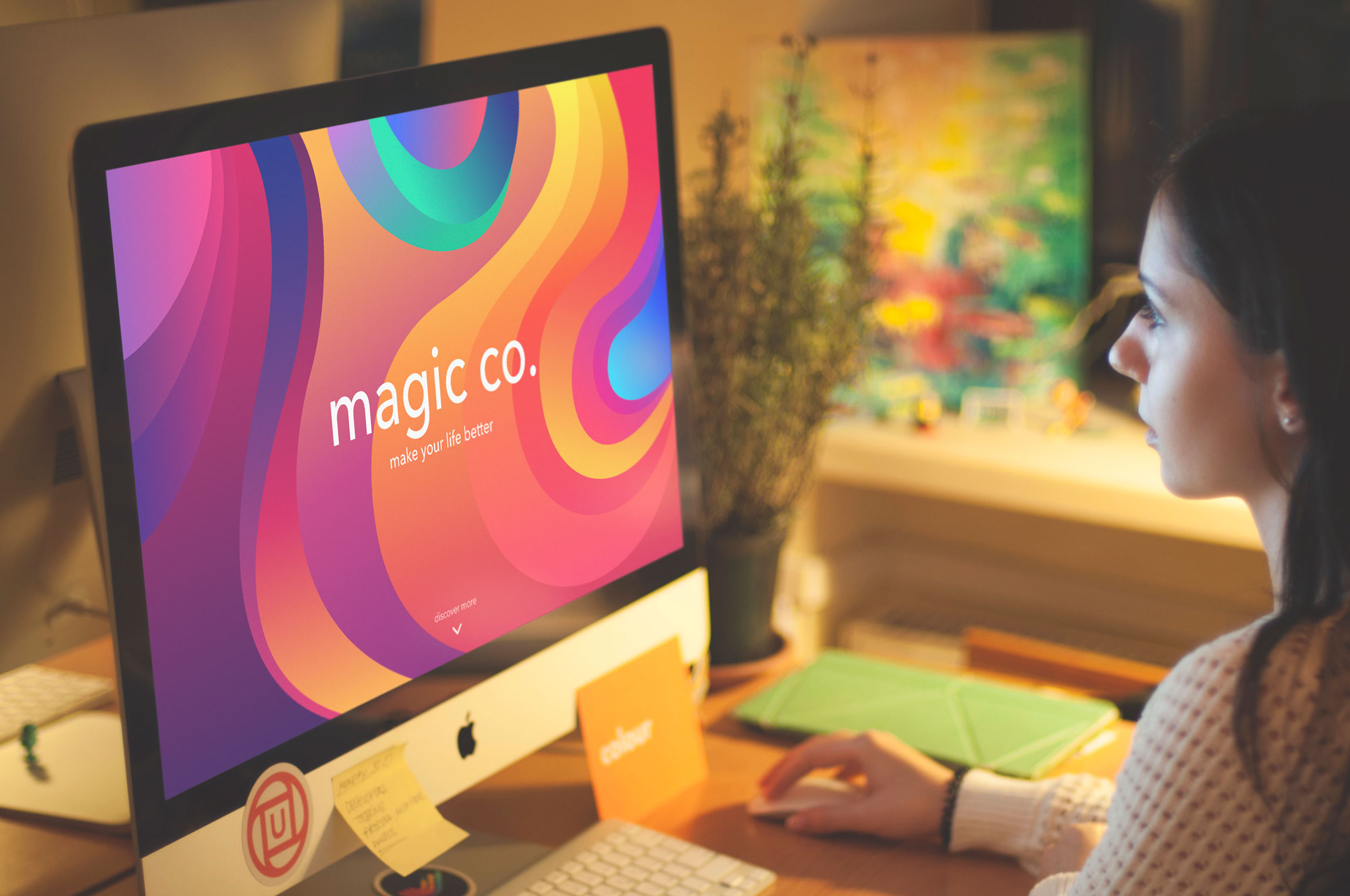
The year is going away so fast: it seems each day just melts away like a snowflake, and it’s high time to turn away and revise what deserves to be remembered. No doubt, the 2016 design year was globally dynamic, creative, full of news, and events. Having worked over diverse design projects and tasks as well as in-house studio products in Tubik Studio, we prepared our list of trends in design for web and app interfaces, which got popular this year, illustrating some of the mentioned points with works by studio designers. Let’s get started.
Flat design
Flat design has significantly grown its presence and diversity this year, both in interface design and branding. The design approach is known for its minimalist and concise use of visual expressive means and has established itself as a style favorable for enhancing usability and visual harmony of user interfaces. The most prominent feature which actually has inspired the name of this direction is applying flat 2-dimensional visual details as the opposite to highly realistic and detailed skeuomorphic images.
The features of flat design supporting its steady popularity in interface design include:
- simplicity of shapes and elements
- minimalism
- functionality
- bold and highly readable typography
- clear and strict visual hierarchy
- close attention to details
- thoughtful application of bright colors and contrast supporting quick visual perception
- avoiding textures, gradients and complex forms
- applying the principles of grids, geometric approach and visual balance.
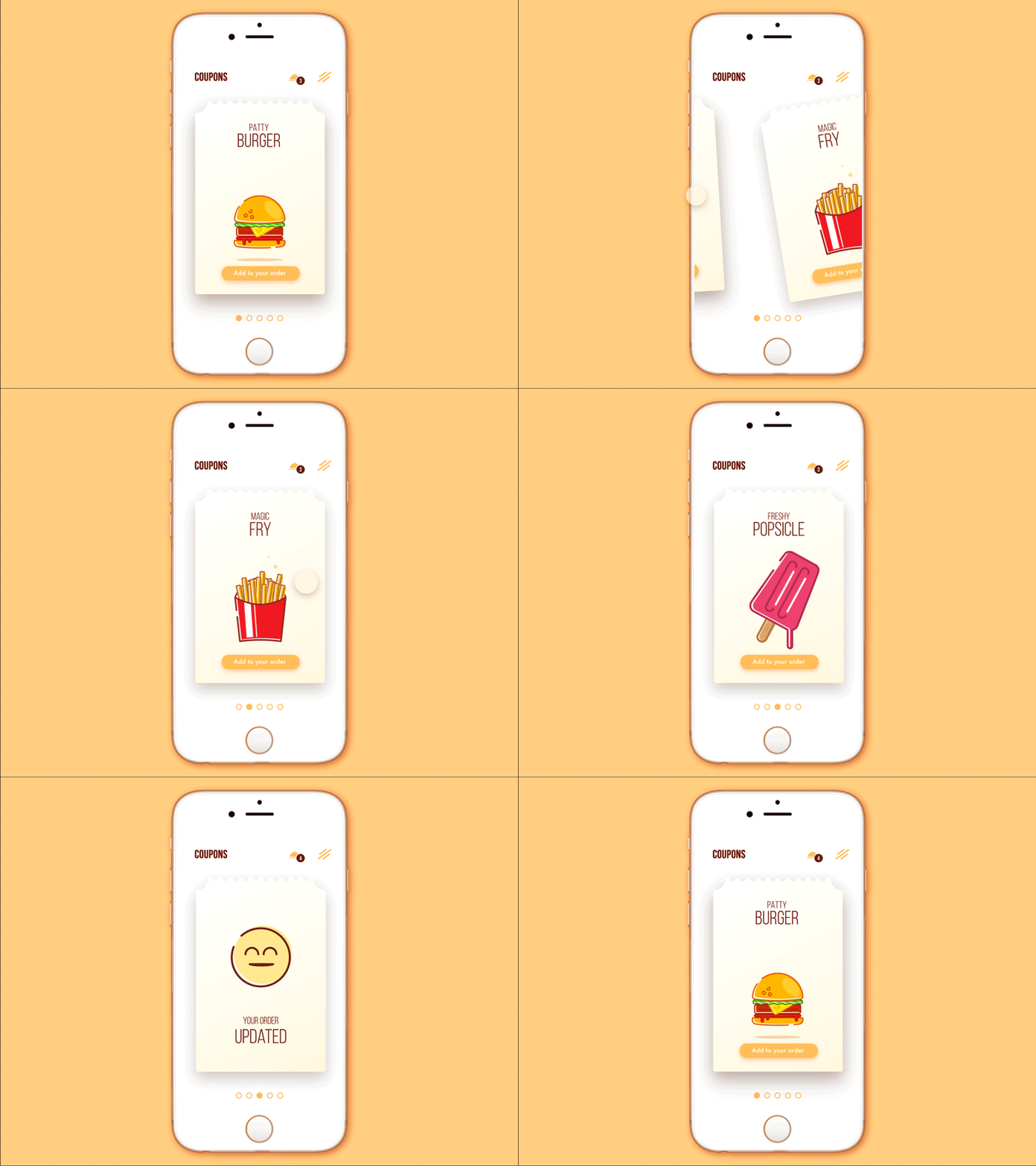
Cafe Coupon App
Thoughtful integration of flat design through diverse interface elements, including icons, illustrations, buttons, tabs, and more, proved efficient in making the UI bright, attractive, clear, intuitive, and easy to use.
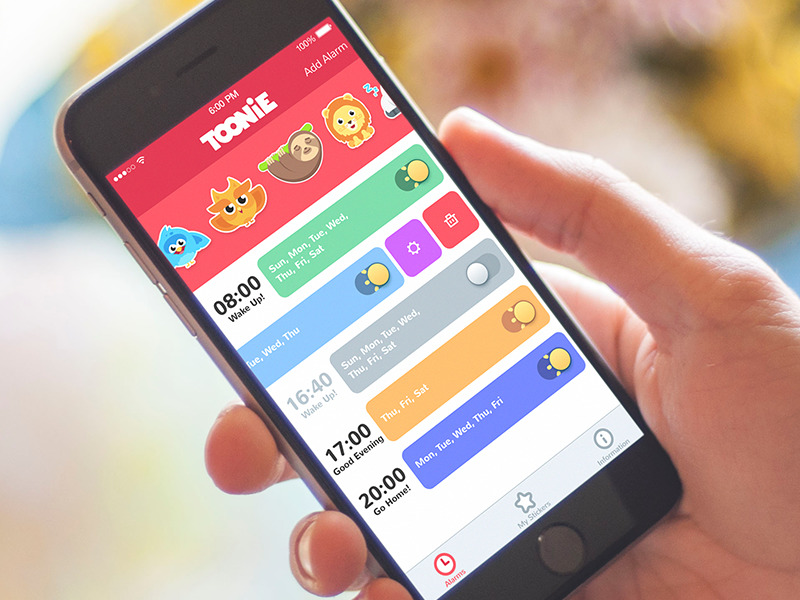
Toonie Alarm
Moreover, this year flat design has set a strong link between branding and UI design, mutually supporting each other in digital products. One of the fields broadly strengthening this trend was creating logos and app icons flat and simplified. This trend has featured itself not only in brand new projects but also for well-established websites, apps, companies, and products, which have presented new redesigned logos and corporate style visuals redesigned according to the principles of flat design.
Conversational UI
Another widely discussed trend is conversational UI, which has been the subject of heated debates and themes in many speeches and case studies this year. Basically, the term “conversational UI” is connected with interfaces that enable users to communicate directly with the system in a way that imitates conversation with people. In the vast majority of cases, this sort of UI involves voice manipulation and recognition as part of the interaction.
More and more products are featuring this sort of functionality: some want it just because it’s trendy and fashionable, while others find real ways to engage it for problem-solving objectives. Most often, it is realized by chatbots providing a flair of talk to the users. In automated dialogues of this kind, depending on the nature of the product and style of talk which is seen appropriate for the target audience, conversational UI can effectively involve both verbal (language) and non-verbal (emoticons, pictograms, etc.) means of communication.
Among the advantages of conversational UIs, one of the frequently mentioned is the automation of some basic and repetitive operations saving people’s effort for more creative and complex tasks. It can enhance the usability of the product and even make it proactive, giving prompts to the user and improving interaction with the product. Still, there is the trap of overloading the product with this sort of communication, based on standard situations and issues, while missing non-typical cases or questions that need different solutions. Moreover, by far not all target users are ready to communicate in that way, so this design solution needs to be grounded on extensive user research and testing from the early stages of user experience design. Conversational UI can easily give zest to the user interface. Yet, if it’s not analyzed and tested well, conversational UI can do the opposite and spoil user experience by poor interaction.
Anyway, this year UI designers have thought over new perspectives of applying conversational UI, in particular in combination with AI technologies, and this trend will definitely grow to show new rays of creativity next year. Conversational UI isn’t just another fad; it’s a trend that provides total or partial changes to certain areas of interaction design, offering an alternative approach to problem-solving and decision-making processes.
Minimalism
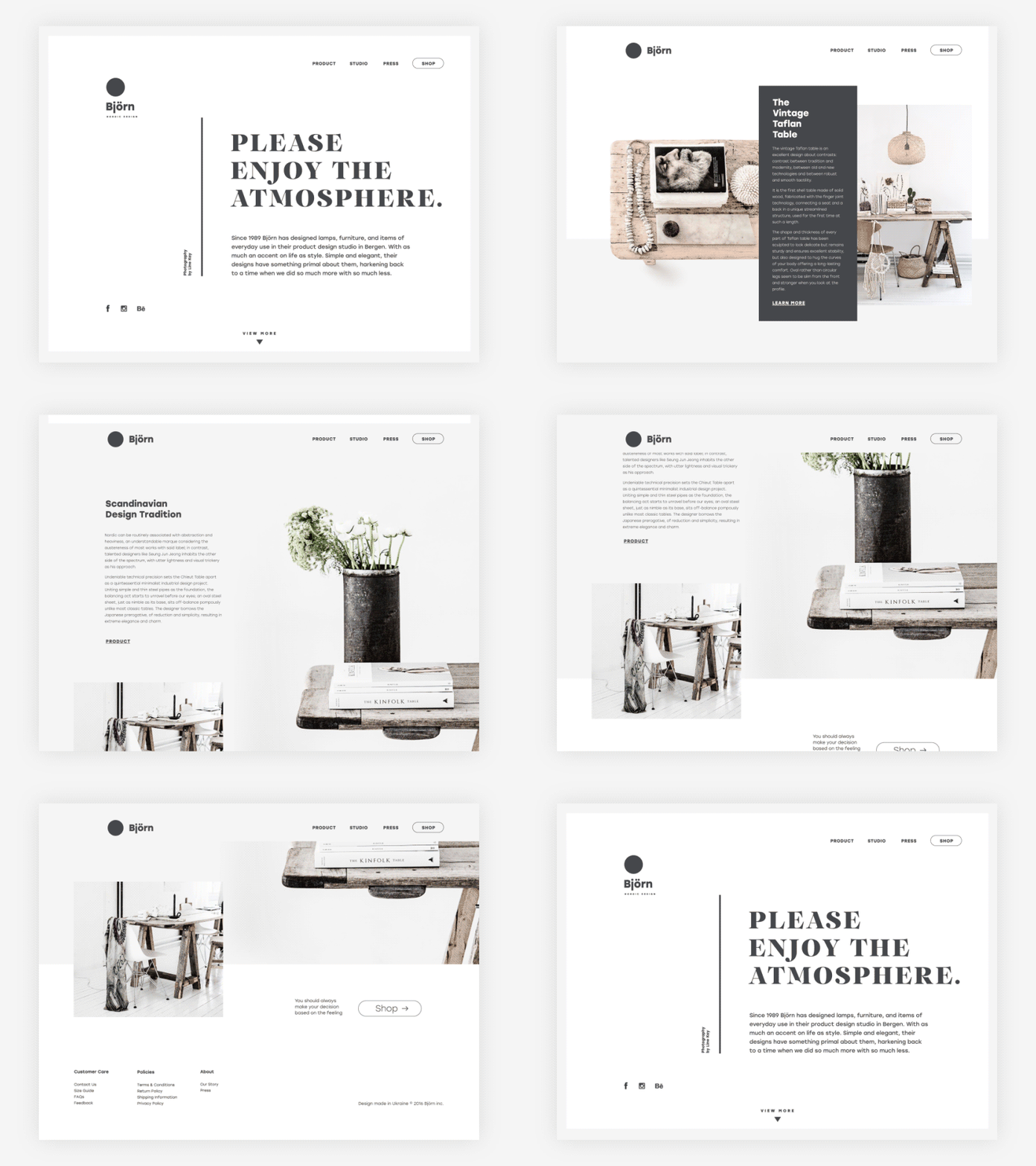
This year has given a great bunch of applications and websites designed on the principles of minimalism. They support positive user experience by providing clear and simple interfaces, full of space and air, focused on content and navigation. Minimalist interfaces are characterized with thorough attention to visual elements, not numerous but always transferring a particular message. Minimalist interfaces, both for web and app, also feature sophisticated work with typography and visual hierarchy, supporting instant scanning and skimming the content of the page or screen. Moreover, interfaces of this sort usually provide a high level of legibility and readability.
Custom graphics
The desire for originality sprang out in UI design in the area of custom graphic design of all kinds. More and more interfaces apply custom mascots, icons, and illustrations that fulfill multiple goals: adding originality to the visual design concept, enhancing usability, strengthening navigation, and marking out the content depending on its nature and functions. Graphic details play a crucial role in the usability and accessibility of the product, and even the slightest changes can bring significant results, speeding up visual perception and understanding interface elements or transitions.
Visual perception is one of the most effective and rapid ways people can obtain information and have it processed by the brain. It influences so many aspects of life that neglecting the issue while creating products for users would be highly unwise. That is why the use of high-functionality visual elements in interfaces, such as icons, and their impact on overall product efficiency have long been a focus of the global design community. In addition, images push the limits of perception for users who have natural problems with text recognition such as, for instance, dyslexic or non-reading preschoolers.
As for custom illustrations or icons, created for specific products, made according to the preferences and needs of the particular target audience and with a view to certain business goals, they are able to make the product work more efficiently, solving users’ pains and satisfying wishes. Perhaps, that is one of the most popular reasons why this trend got so popular in 2016 presenting interesting interfaces with custom graphics of diverse styles and performance.
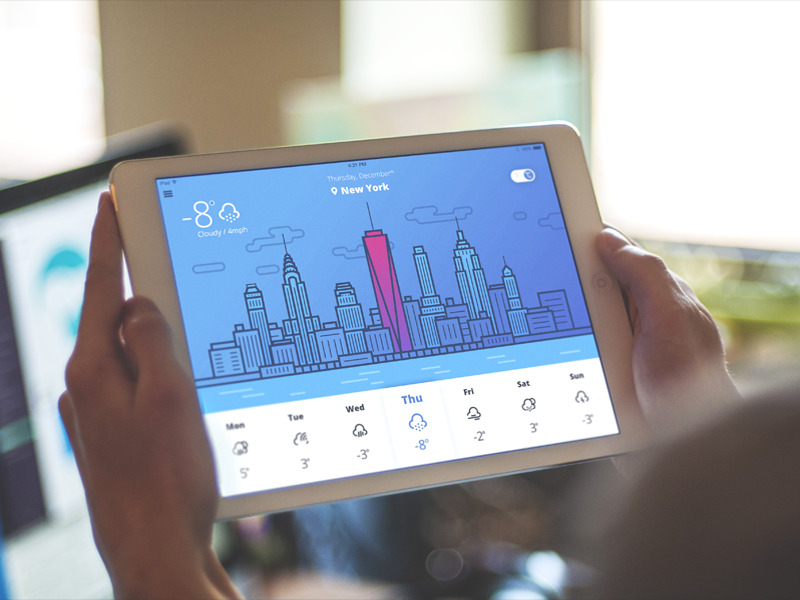
Another side of this trend is the growing category of wallpapers for desktops and mobile devices, featuring original graphic art on a variety of topics. It can also be characterized as a user-friendly trend, giving users the choice of means for self-expression and satisfying personal aesthetic needs.
Animated microinteractions
Interface animation is one more hot and debatable topic of this year. Although there is a big army of those who find animation an unnecessary feature overloading the user interface and making it more complicated, most users expect motion as an integral part of the interaction experience. Designers and developers are developing increasingly sophisticated methods to make animations look more natural and to enhance the problem-solving capabilities of modern apps and websites.
One of the frequent methods of adding motion to UI is animated details featuring microinteractions. Microinteractions supported by clear finalization via motion create fast feedback for the user and make the experience positive and efficient, while navigation is simple and intuitive. Animated buttons, switchers, toggles and other interactive elements inform users in split seconds activating all the potential of fast visual perception.
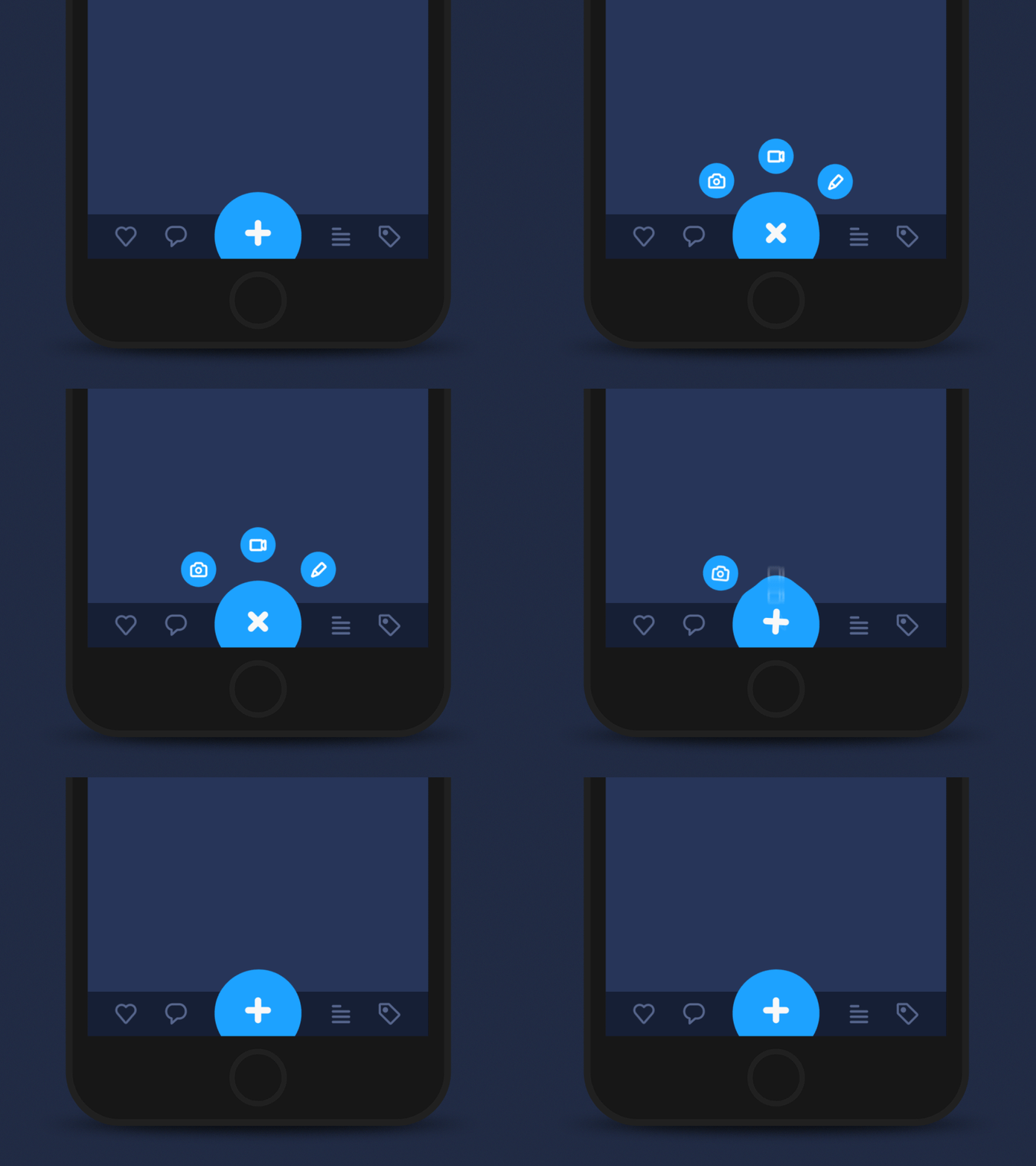
Tab Bar interaction
As we mentioned in the earlier article, animation in the interface can create a pleasant illusion of natural interaction with physical objects, which often doesn’t require much cognitive effort. For example, if you pull the object, press it, and move the tab out, the movements should feel natural. Most users won’t be able to see this sophisticated work accomplished by designers: they will take it for granted, and the fact that it makes them comfortable will be the biggest praise for design solutions.
Scroll animation
The scroll animation also received new visual elements and artistic interpretations. Throughout the movement of layout elements while the web page is scrolled, it enhances user experience significantly and creates a harmonic feeling of one integral smooth interaction rather than perceiving several separate parts or blocks of the page. Moreover, this sort of interaction is aesthetically pleasant and engaging, and these emotions are a good factor in retaining users. This year, full of new updates in design tools and software, showed great practices of sophisticated work on scroll animation.
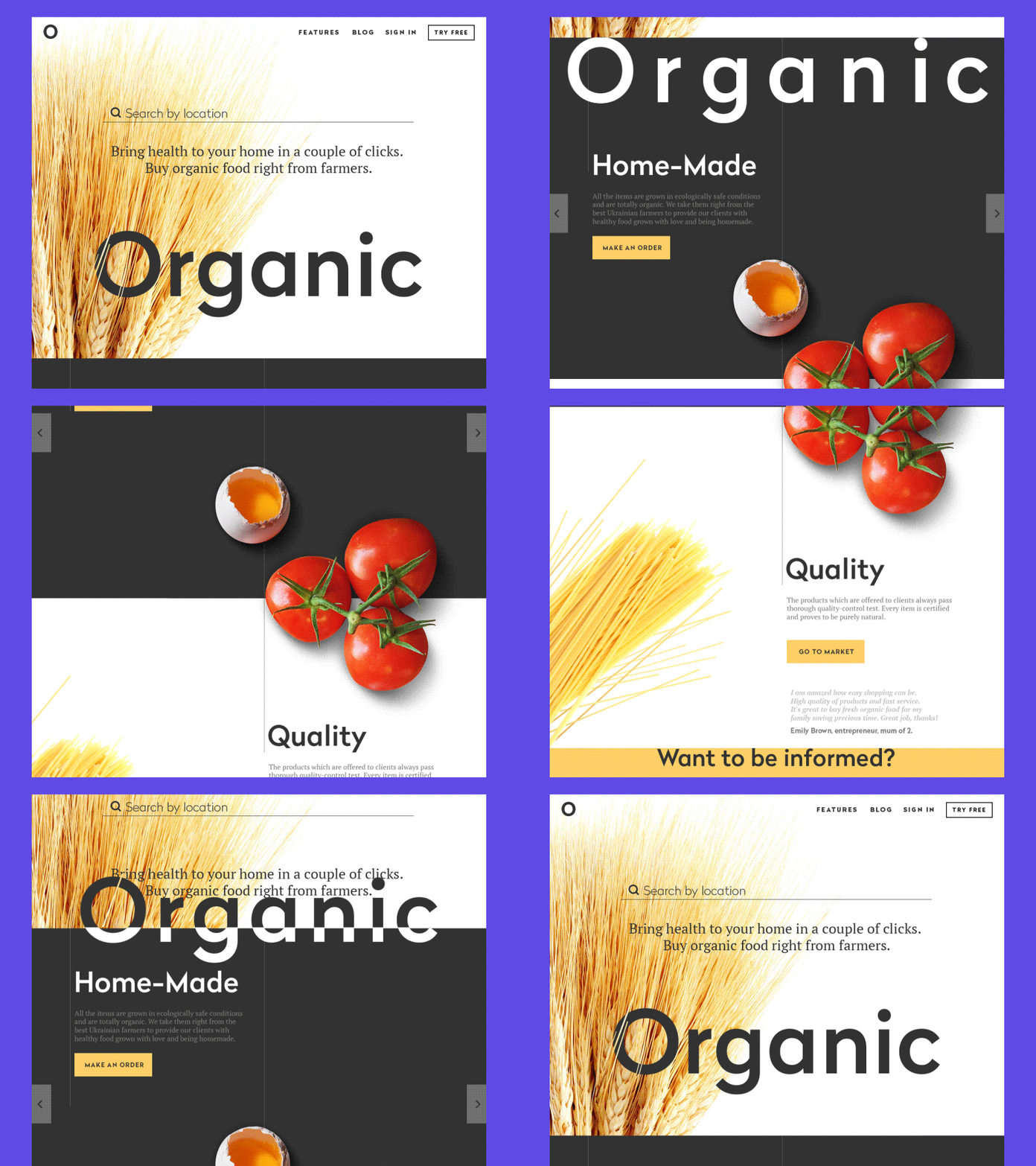
Organic landing page
Animated tutorials
The tutorial is a vital part of onboarding users for most mobile applications. Certainly, a wide variety of methods and techniques are used to make it clear, engaging, and informative, as it is a strategic element in encouraging users to interact further with a digital product. This year, designers combined traditional techniques with emerging trends: in particular, custom illustrations and animation brought new energy to app tutorials, making them more dynamic and enhancing their instructional value.

Social Network Tutorial
Diversity of landing pages
Surely, landing pages were discovered much earlier than 2016; still, this year has brought a new phase of their development and diversity. More and more businesses and social projects take advantage of using them for effective presentation of special services, sales, offers, or issues that need focused users’ attention. Landing pages have also grown their presence in the Net as an effective method of promotion for native mobile apps. Accomplished wisely and thoughtfully, grounded on user and market research and testing, broad usage of landing pages can be also seen as the other user-friendly trend, providing users with necessary information and interactions in a clear and accessible way saving their time and effort. From the business perspective, they also work well giving businesses a flexible tool for original and effective presentation.
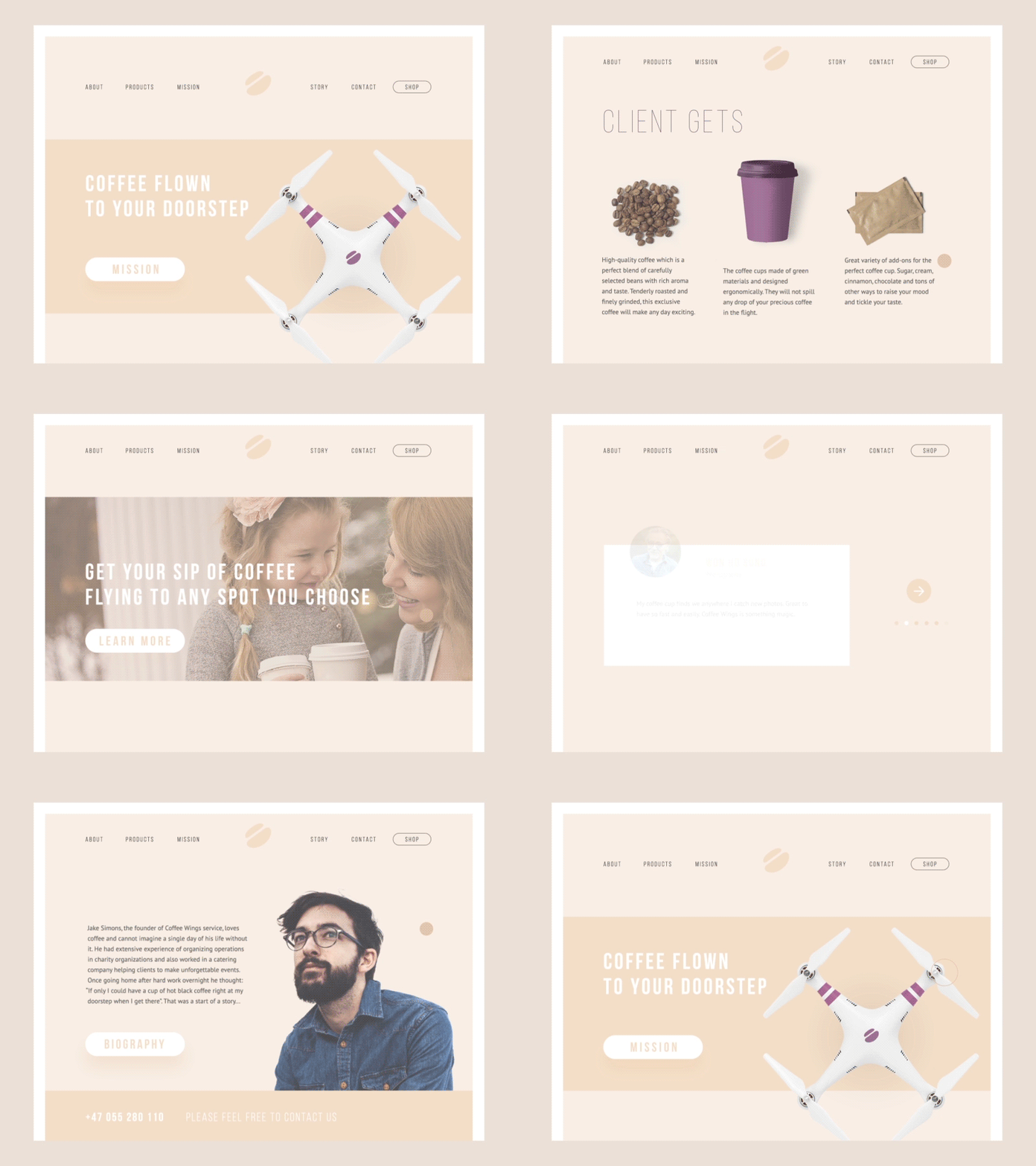
Coffee Wings landing page
Brutalism
The trend of brutalism in digital design has rocketed this year getting more and more expressions and diversity. It is often characterized as a web design style that aims to break standards and predictable design techniques. The websites created in this manner are a sort of rebellion to sophisticated designs with thought-out symmetry and harmony, complex layouts, and accents of aesthetic visual performance. Vice versa, brutalism is based on simple and raw appearance, in most cases not loaded with many visual details and sometimes even close to plain HTML page. Used wisely, for the appropriate goals and audience, this approach can bring a high level of originality to the website and make it really stand out of the crowd.
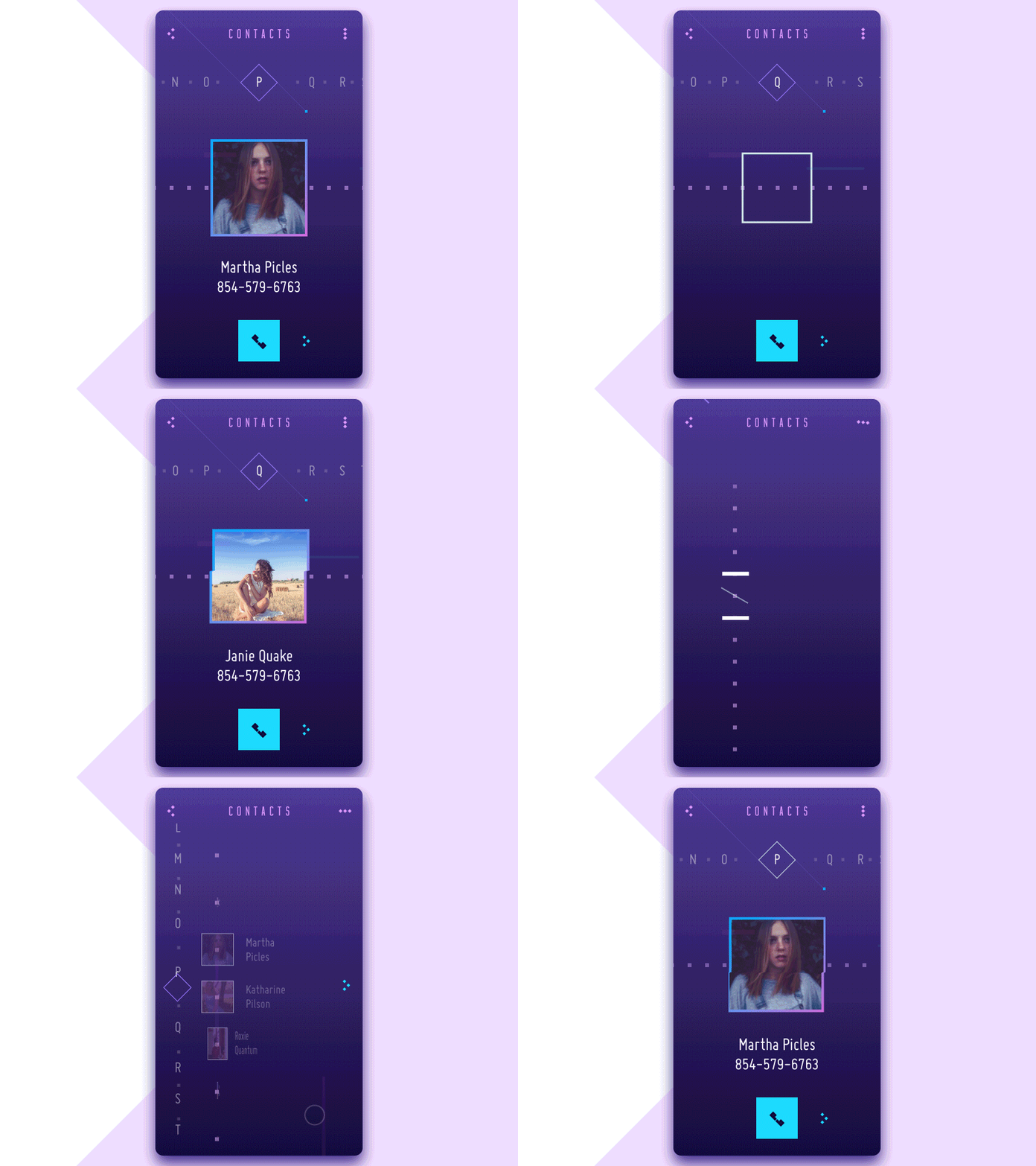
Contact List Concept
Custom grid
According to Internet Live Stats, there are over 1 billion websites on the World Wide Web today. This milestone was first reached in September of 2014, as confirmed by NetCraft in its October 2014 Web Server Survey, and first estimated and announced by Internet Live Stats. The number subsequently declined, falling below 1 billion due to monthly fluctuations in the count of inactive websites, before rising again and stabilizing above the 1 billion mark starting in March of 2016. With more and more websites coming into play, designers have to be more and more creative to not only make them attractive and harmonious but also give them a feeling of uniqueness and original appearance. That is one of the reasons why experiments with the grid also won their place in the list of general design trends of the last year. A custom grid is a way to save the feeling of harmonic layout and placement of the elements with a higher level of flexibility and originality. However, this sort of experiment requires thorough research, and in many cases, the final result comes via several iterations tested and analyzed in terms of usability and visual perception.
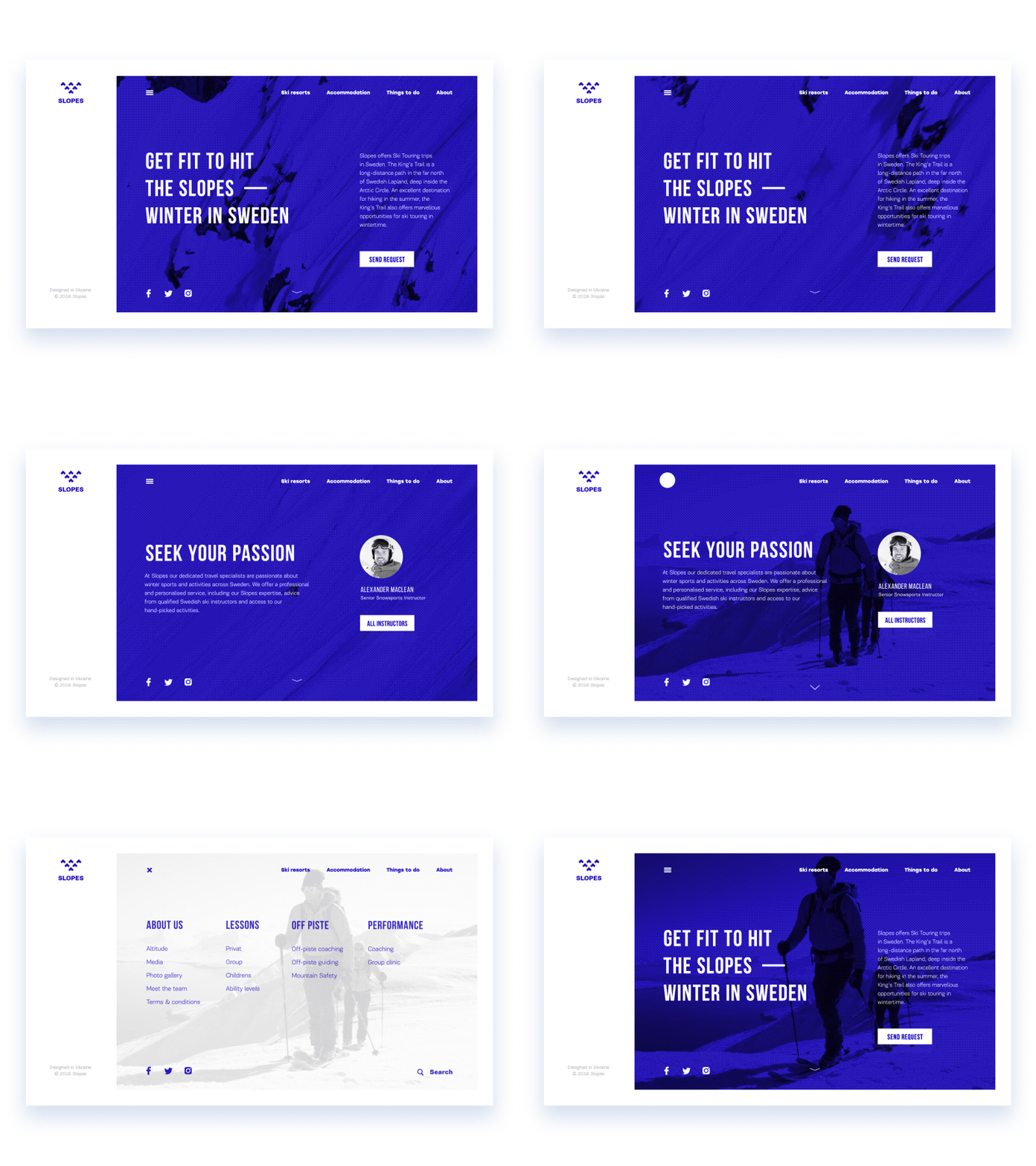
Bold and catchy typography
2016 could also be considered the year of further rigorous practice in typography within the global design community. It brought the world a lot of new, nice typefaces, both universal and created with specific objectives or products in mind. Typography continued its progress as one of the crucial aspects of efficient web and app design, and one of the trends in this domain was practices of applying bold and outstanding typography for webpages, catching users’ attention, and instantly informing them about the core message. In particular, this approach got its development in the sector of landing pages, whose quick and dynamic presentation of core data to users has a significant influence on conversion rates.
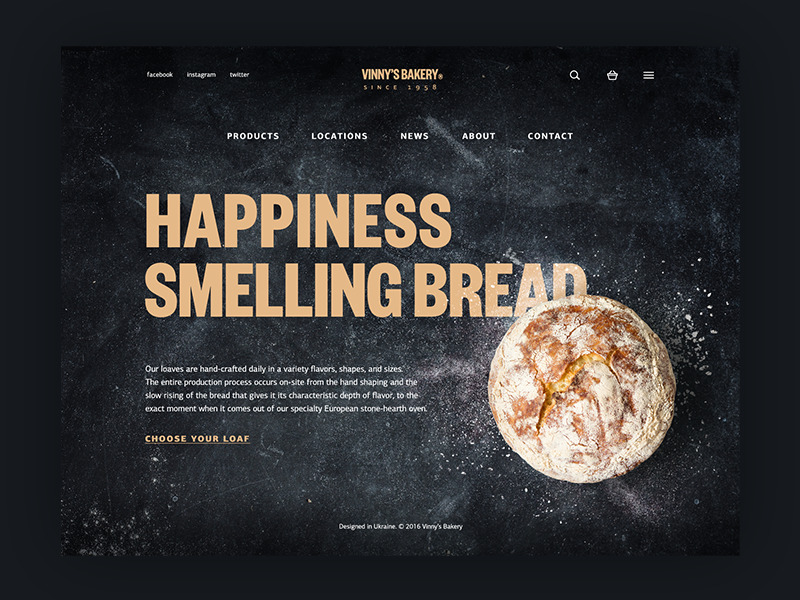
Vinny’s Bakery
Large thematic image
Another trend often found in various interface designs is the use of prominent images, which can be either photos or illustrations, as the central visual element of the overall composition. The important thing is that the image is never just a placeholder for aesthetics: it offers a powerful way to enhance the page or screen’s informational value, set the theme instantly, and draw the user’s attention to key details. Needless to say, it takes a lot of a designer’s effort to choose one that successfully conveys the necessary message and supports the overall stylistic concept.
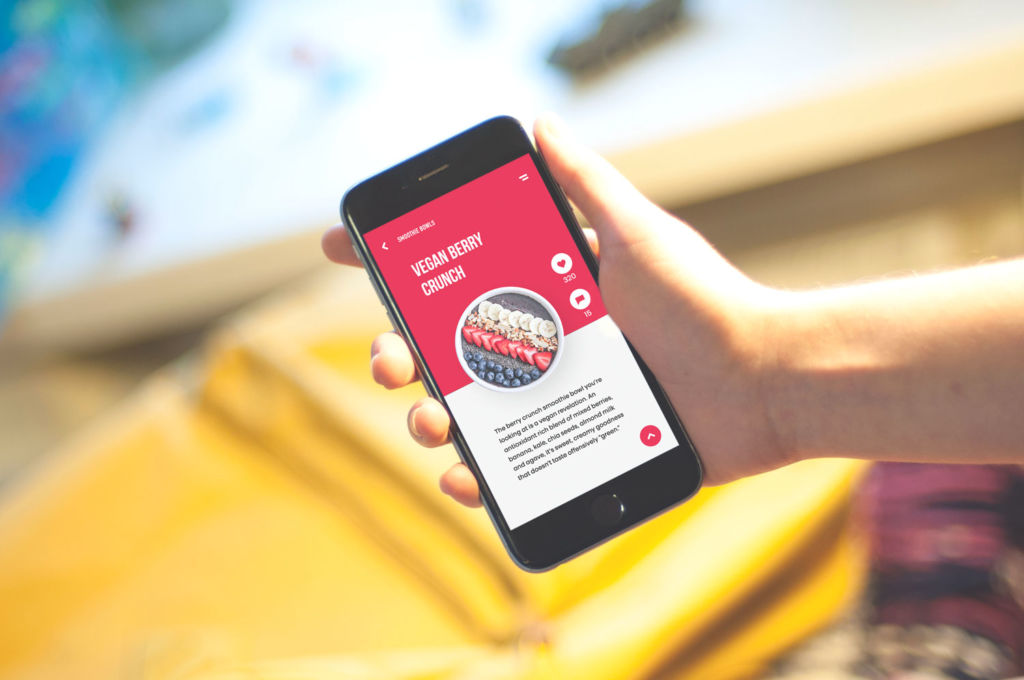
Healthy Food App
Handwriting lettering
Custom handwriting lettering has also become a popular design trend and is often used to highlight significant details and images in an original way. Special lettering made by professional designers looks fresh and unique, refreshing the visual performance of the webpage or screen. On the other hand, when applied to UI design, it requires additional effort to test in the layout, as hand-crafted lettering may look great on its own but may not work effectively when combined with other interface elements.
Real content instead of Lorem Ipsum
This year has seen increased attention to content quality and performance. In user interfaces, content, and design, the interconnected elements should support one another rather than compete for users’ attention. This is driving more designers to prefer real content over the well-known Lorem Ipsum, even during creative stages or when presenting design concepts. It brings designers, clients, and users closer to real-world experience and a more natural interaction experience.
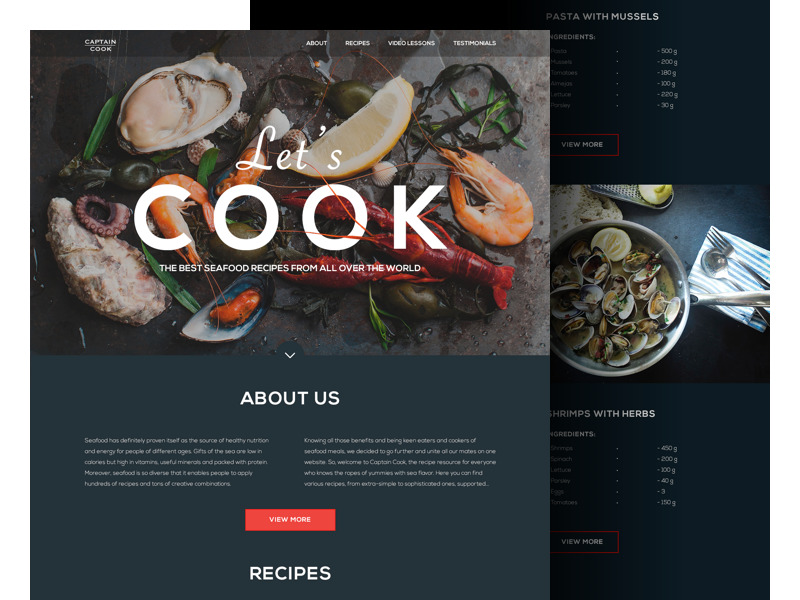
Website on cooking seafood
Videos explaining or presenting products
With easy access to review videos on YouTube, social networks, and other platforms for product presentations, video explainers have quickly become a popular trend. Naturally, it wouldn’t be logical to neglect such a powerful channel for connecting with clients and users, so 2016 saw a wide variety of videos showcasing products, companies, and services, explaining their benefits and special offers, and demonstrating an engaging flow of interaction and connection. They took over the responsibilities of the picture, which is worth a thousand words: video explainers quickly show the most essential features of the product and let users know what deserves their attention first.
Example of promotional year-in-review video designed by Tubik Studio for Opera
Bright and dark color palettes
No secret, color is one of the most powerful and influential factors in UI design. One more trend in UI design deserving a place in the list of this year is the great variety of color palettes designers choose for applications and websites. Diversity of new fonts and typefaces, along with usability research, enables going beyond standards and exploring new combinations that leverage diverse colors without sacrificing usability. More and more creatives are discovering new horizons, combining traditional techniques with innovative approaches in the domain of work with color.
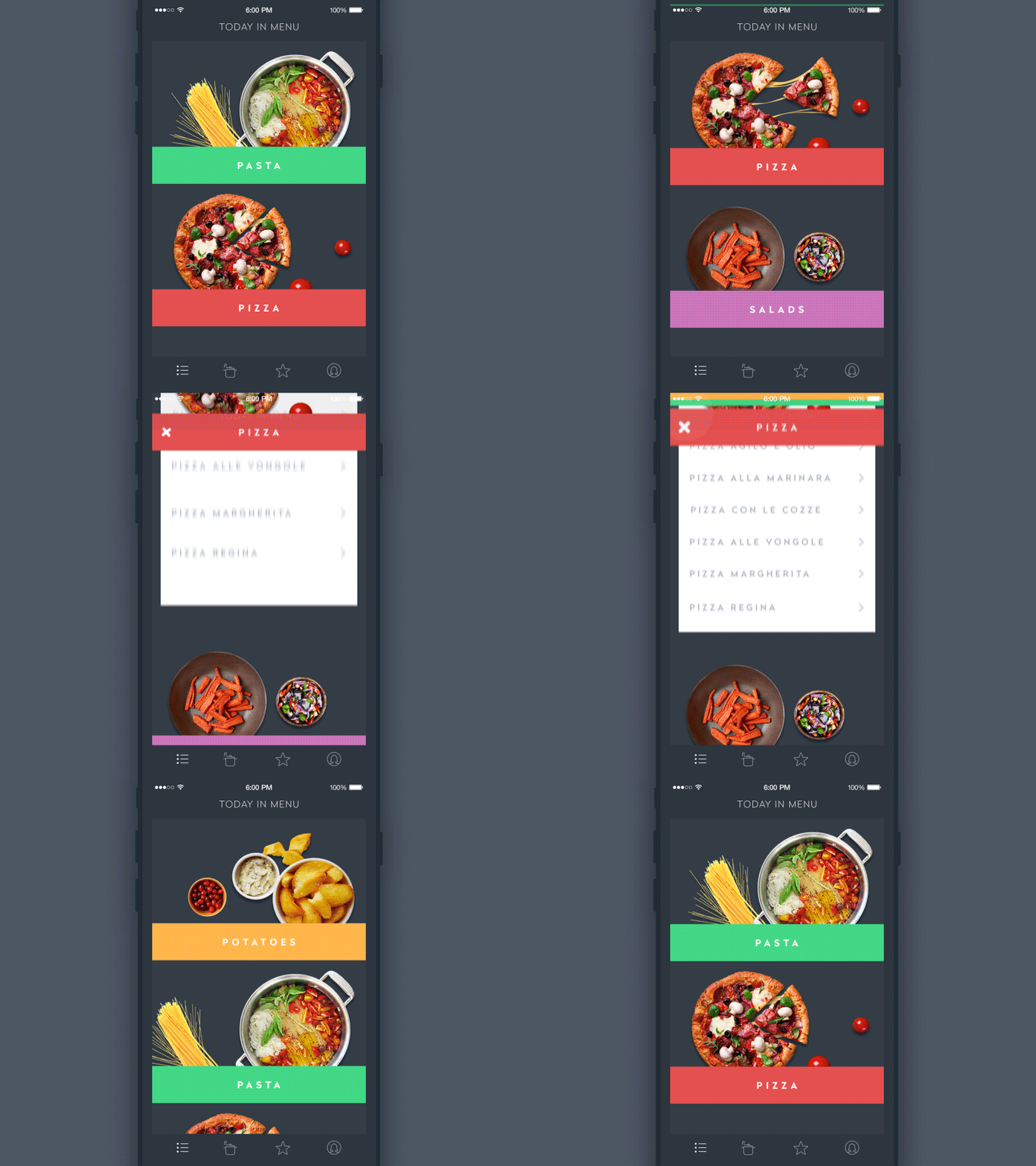
Recipe App
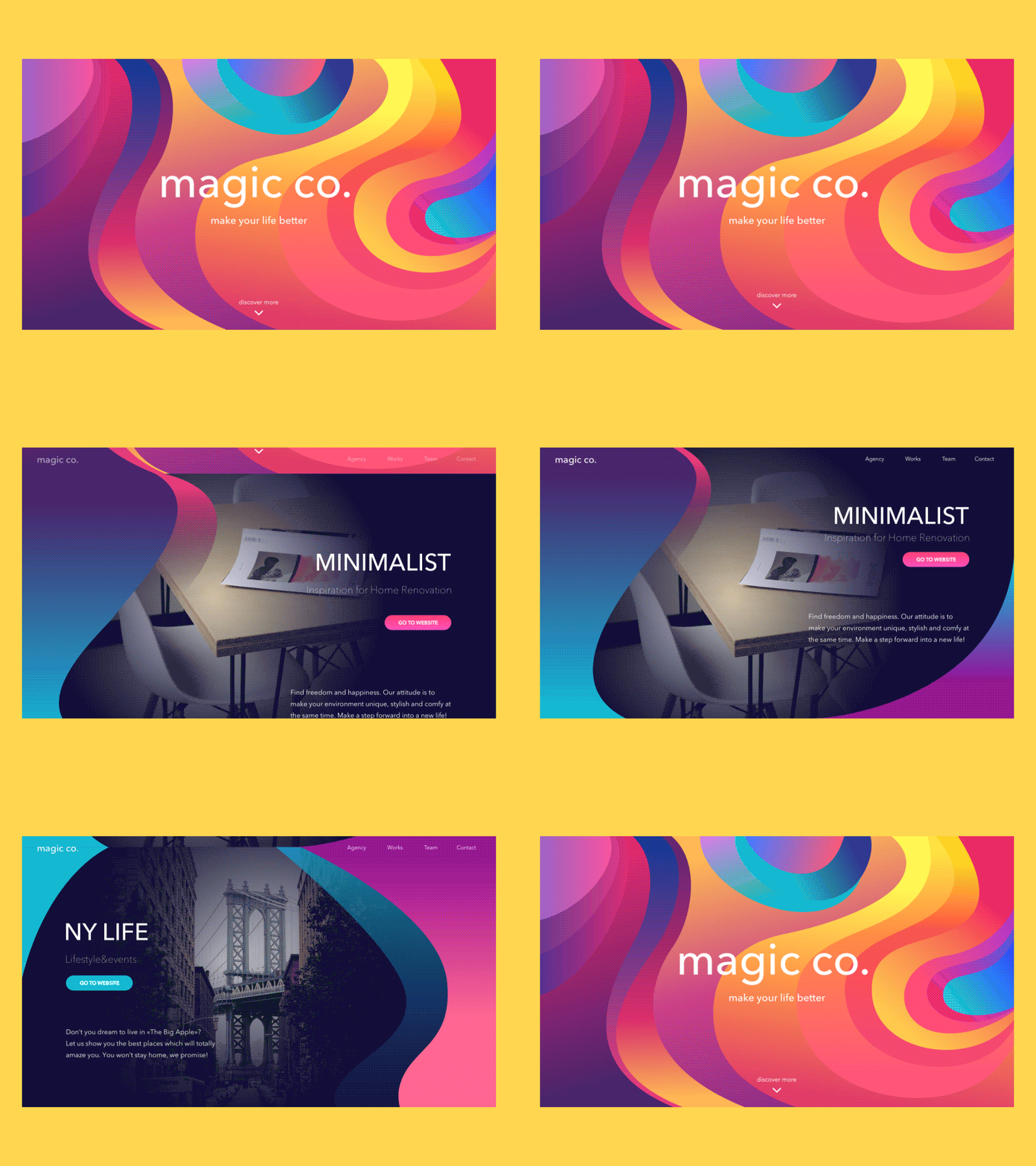
magic.co landing page
To sum up, we can certainly say that in the sphere of UI design, 2016 has been the year of creative search and experiments; still, most of them were focused on usability and desirability of the final products. No doubt, 2017 will not lose its chance to polish these trends and open the new ones.
Originally written for Tubik Blog
Useful Articles
Here’s a bunch of articles to dive deeper into the theme of usability and user experience design.
5 Basic Types of Images in Web Design
The Anatomy of a Web Page: Basic Elements
6 Elements of Efficient Company Website Design
UX Practices on Product Page Design
How to Design Effective Search
Web Design: 17 Basic Types of Web Pages
Guide to 6 Effective Types of Web Animation
Directional Cues in User Interfaces
 https://design4users.com/popular-trends-for-ui-design-in-2016/
2026-01-12
© by
Marina Yalanska
,
https://design4users.com/popular-trends-for-ui-design-in-2016/
2026-01-12
© by
Marina Yalanska
,
- English
- Ukrainian