
Basics of Information Architecture for Designers
Basics of Information Architecture for Designers The article providing insights into the basics of information architecture for designers and setting the link between IA, UX and UI for websites and applications.
The World Wide Web contains a tremendous amount of information which is hard to imagine unstructured because a human brain wouldn’t be able to perceive any single thing. People got used to seeing the content and functionality of the digital products as many of them are now: structured and easy to use. However, it doesn’t occur unintentionally. Designers and developers take responsibility of constructing content and navigation system in the appropriate way for users’ perception. The science that assists experts in the content structuring is called information architecture. Today’s article is devoted to the essence of information architecture and presents the basic points every designer should know.
What’s information architecture?
Information architecture (IA) is a science of organizing and structuring the content of the websites, web and mobile applications, and social media software. An American architect and graphic designer, Richard Saul Wurman, is considered to be a founder of the IA field. Today, there are many specialists working on IA development who have established the Information Architecture Institute. According to the IAI experts, information architecture is the practice of deciding how to arrange the parts of something to be understandable.
Information architecture aims at organizing content so that users would easily adjust to the product’s functionality and could find everything they need without big effort. The content structure depends on various factors. First of all, IA experts consider the specifics of the target audience’s needs because IA puts user satisfaction as a priority. Also, the structure depends on the type of the product and the offers companies have. For example, if we compare a retail website and a blog, we’ll see two absolutely different structures, both efficient for accomplishing specific objectives. Information architecture has become a fundamental study in many spheres including design and software development.

The role of information architecture in design
Nowadays, when the user-centered approach in design is a top trend, many designers learn the principles of information architecture science, which they believe is a foundation of efficient design. IA forms a skeleton of any design project. Visual elements, functionality, interaction, and navigation are designed according to information architecture principles. The thing is that even compelling content elements and powerful UI design can fail without appropriate IA. Unorganized content makes navigation difficult and unclear, so the users can easily get lost and feel annoyed. If the users face their first bad interaction, they may not give your product a second chance.
Many companies don’t see the importance of information architecture because they think it’s impractical. It’s hard to argue that IA takes some time to create it and requires specific skills to do it efficiently. However, powerful IA is a guarantee of a high-quality product since it reduces the possibility of usability and navigation problems. This way, well-thought information architecture can save both the time and money of the company which otherwise they would have spent on fixing and improving.
IA and UX design
After reading everything written above, many people may have the question: “Isn’t IA the same as UX design?” Technically, these terms are related, but they are not the same. IA is a blueprint for the design structure that can be translated into wireframes and sitemaps for the project. UX designers use them as the basic materials so that they could plan the navigation system.
UX design means much more than content structuring. In the first place, UX designers aim at making a pleasant interaction model, so that users feel comfortable using the product. They encompass various aspects influencing users’ behavior and actions such as emotion and psychology when the IA experts stay focused on the user’s goals.
Let’s get this straight: good information architecture is a foundation of efficient user experience, so the IA skill is essential for the designers. Effective IA makes the product easy to use but only united with design thinking the product has a powerful user experience.

IA system components
If you want to build strong information architecture for the product, you need to understand what it consists of. Pioneers of the IA field, Lou Rosenfeld and Peter Morville in their book “Information Architecture for the World Wide Web” have distinguished four main components: organization systems, labeling systems, navigation systems, and searching systems.
Organization systems
These are the groups or categories in which the information is divided. Such a system helps users predict where to find specific information. There are three main organizational structures: Hierarchical, Sequential, and Matrix.
Hierarchical. In one of our previous articles, we mentioned a well-known content organization technique called visual hierarchy. It is initially based on Gestalt psychological theory and its main goal is to present content on the carrier, be it a book page or poster, web page, or mobile screen, in such a way that users can understand the level of importance for each element. It activates the brain’s ability to distinguish objects based on their physical differences, such as size, color, contrast, and alignment.
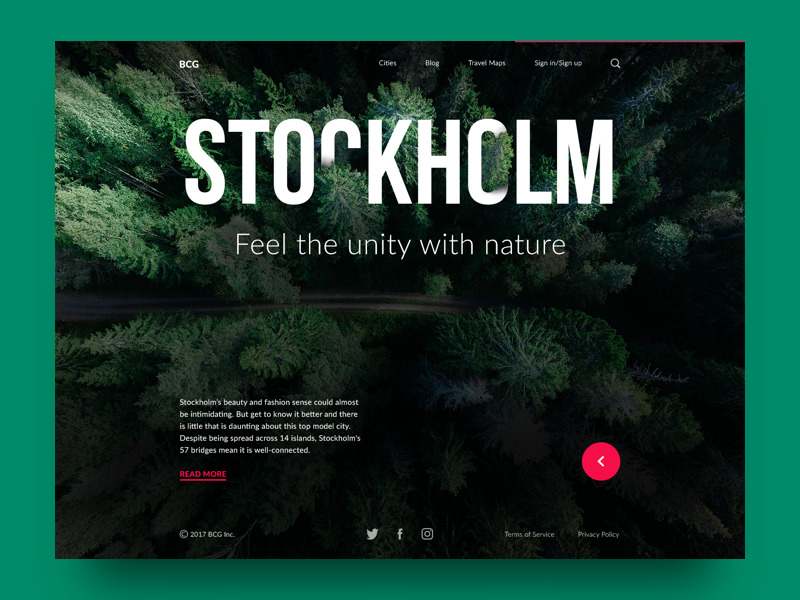
Big City Guide
Sequential. This structure creates a path for users. They go step-by-step through the content to accomplish the task they needed. This type is often used for retail websites or apps, where users need to complete multiple tasks to make a purchase.
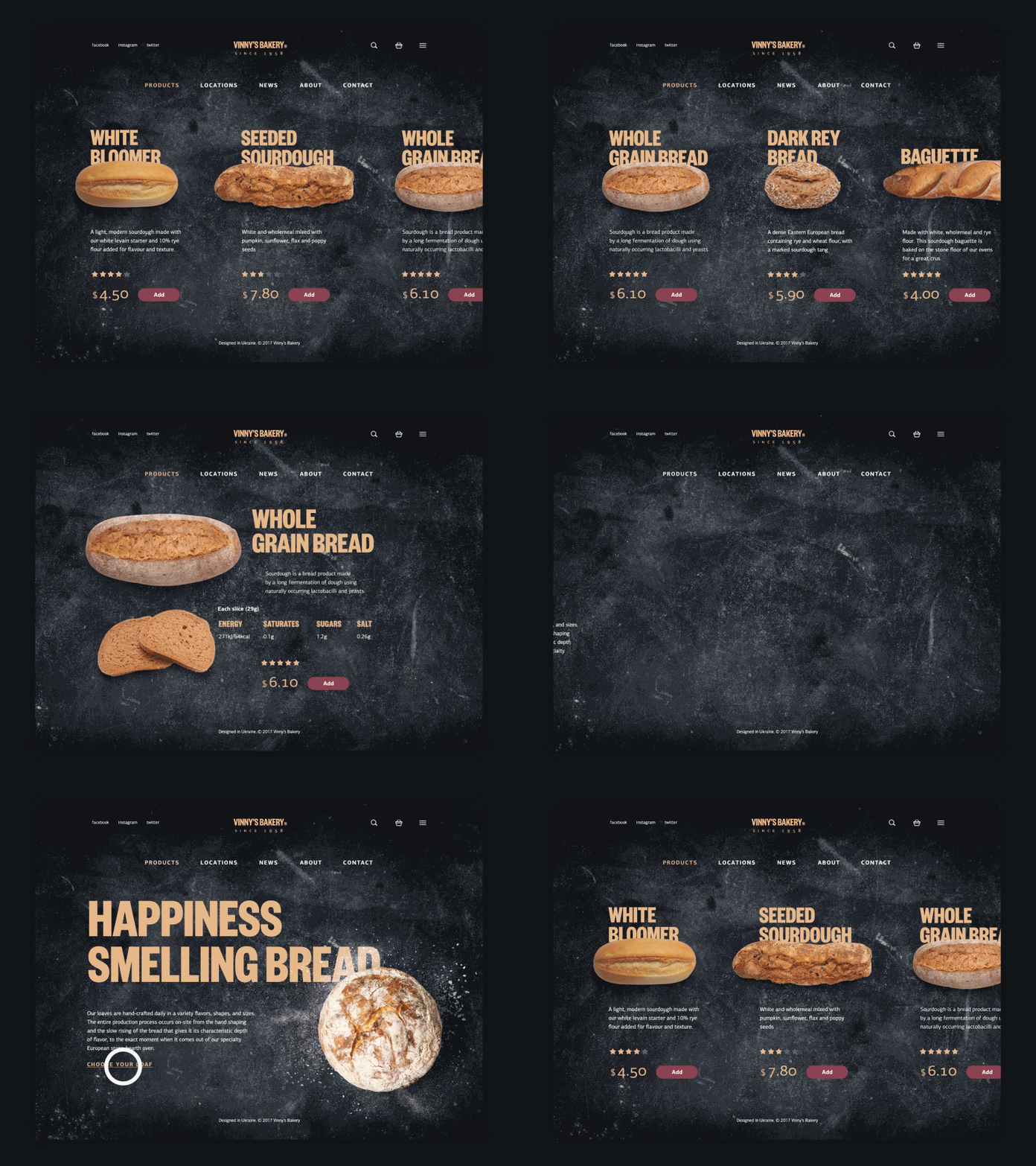
Vinny’s Bakery Website
Matrix. This type is a bit more complicated for users since they choose their own navigation method. Users are given choices of content organization. For example, they can navigate through content that is ordered by date, or some may prefer navigation by topic.
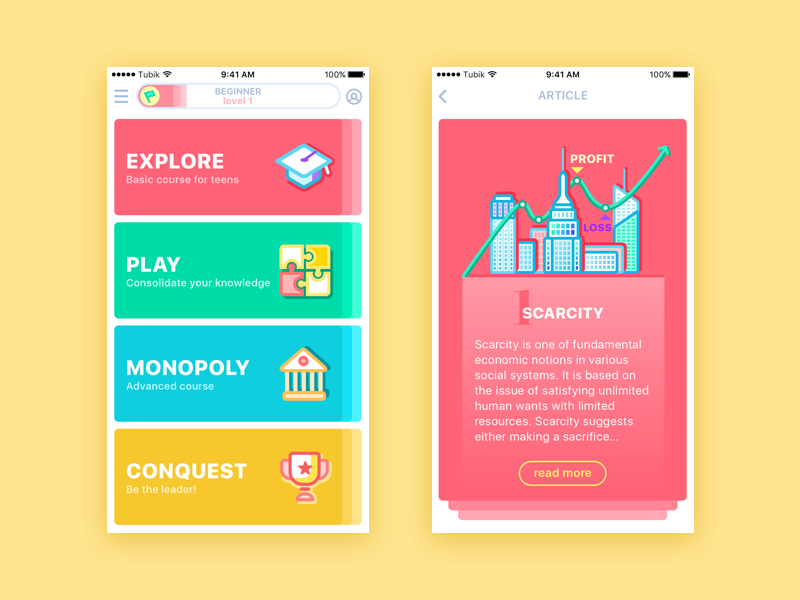
MoneyWise App
In addition, content can be grouped according to organizational schemes. They are meant to categorize the product’s content. Here are some of the popular schemes:
Alphabetical schemes. Content is organized in alphabetical order. Also, they can serve as a navigation tool for users.
Chronological schemes. This type organizes content by date.
Topic schemes. Content is organized by specific subject.
Audience schemes. The type of content organization for separate groups of users.
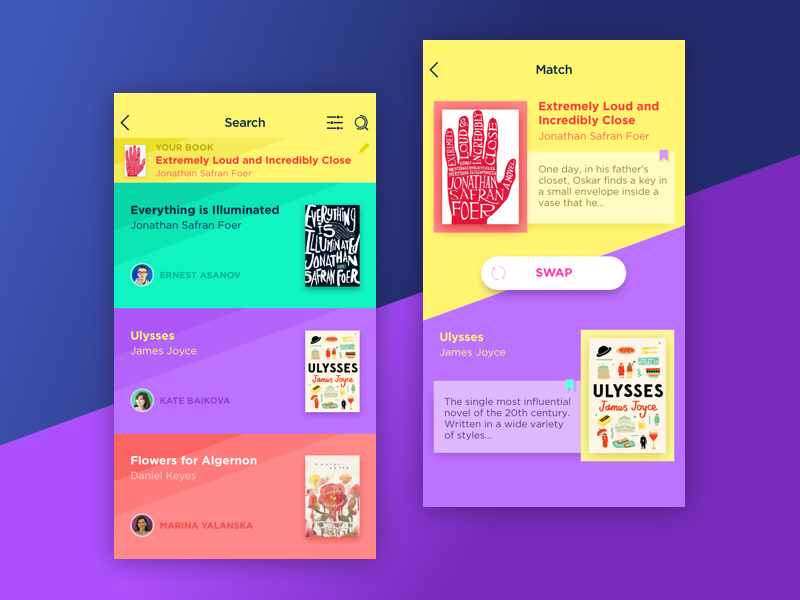
Book Swap App
Labeling systems
This system involves data representation methods. The product’s design requires simplicity, so including too much information can confuse users. That’s why designers create labels representing loads of data in a few words. For example, when designers provide the company’s contact information on the website, it usually includes the phone number, email, and social media links. However, designers can’t present all of this information on one page. The “Contact” button in the page header is a label that triggers associations in users’ minds without displaying all the data on the page. So, the labeling system aims at uniting the data effectively.

Gym Landing Page
Navigation systems
In one of our UX Glossary articles, we defined navigation as the set of actions and techniques that guide users through an app or website, enabling them to achieve their goals and interact successfully with the product. In terms of IA, the navigation system concerns how users move through the content. It’s a complex system that employs many techniques and approaches, the reason why it’s wrong to describe it in a short paragraph. So, we’ll go back to the topic a bit later in our new blog article.
Searching systems
This system is used in information architecture to help users search for the data within a digital product, such as a website or an app. The search system is effective only for products with extensive information; otherwise, users risk getting lost. In this case, the designers should consider a search engine, filters, and many other tools helping users find content and plan how the data will look after the search.
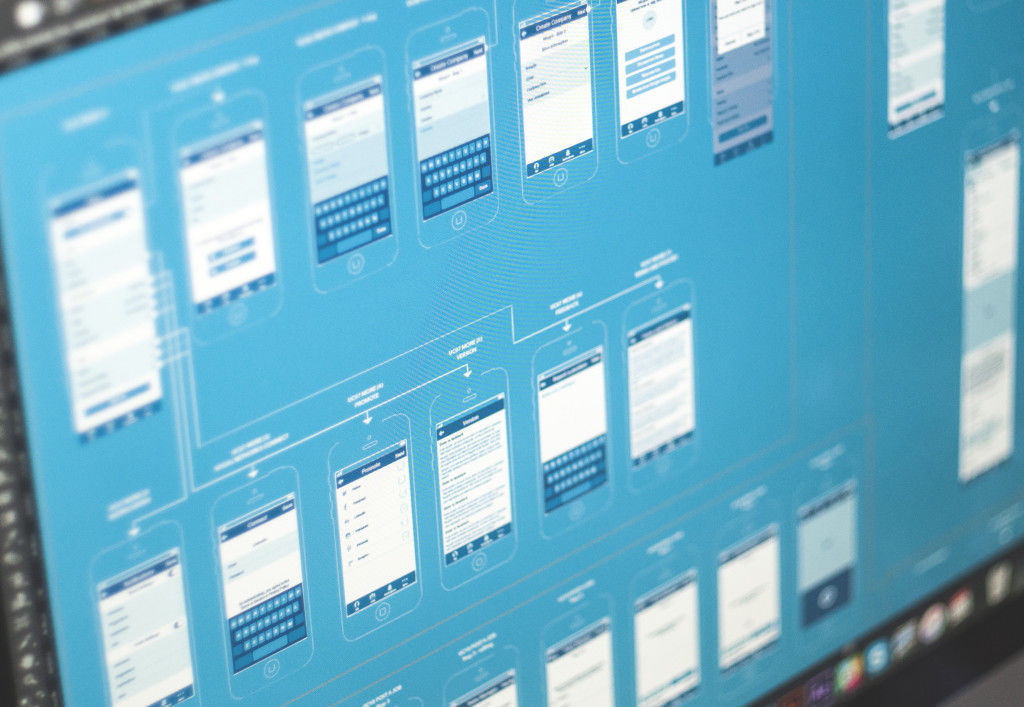
To sum up, we can claim that information architecture is a core part of robust user experience design. Efficient IA helps users quickly and easily navigate through content and find everything they need without striking a blow. That’s why designers are recommended to learn the basics of IA science.
The topic of information architecture is wide, and there are more interesting and valuable aspects. Our next article on this theme will focus on the techniques and methodologies designers use to create efficient IA. Stay tuned!
Recommended reading
IA for the Web and Beyond
How to Make Sense of Any Mess: Information Architecture for Everybody
Information Architecture Basics
The Difference Between Information Architecture and UX Design
Originally written for Tubik Blog
UX Design Articles
Here’s a bunch of articles to dive deeper into the theme of usability and user experience design.
5 Basic Types of Images in Web Design
The Anatomy of a Web Page: Basic Elements
6 Elements of Efficient Company Website Design
UX Practices on Product Page Design
How to Design Effective Search
Web Design: 17 Basic Types of Web Pages
Guide to 6 Effective Types of Web Animation
Directional Cues in User Interfaces
 https://design4users.com/basics-of-information-architecture-for-designers/
2026-01-14
© by
Marina Yalanska
,
https://design4users.com/basics-of-information-architecture-for-designers/
2026-01-14
© by
Marina Yalanska
,
- English
- Ukrainian