
Design for Onboarding: Mobile App Tutorials
Design for Onboarding: Mobile App Tutorials The article devoted to the design of app tutorials, the vital element of the effective onboarding: tips and methods of creating user-friendly app introduction.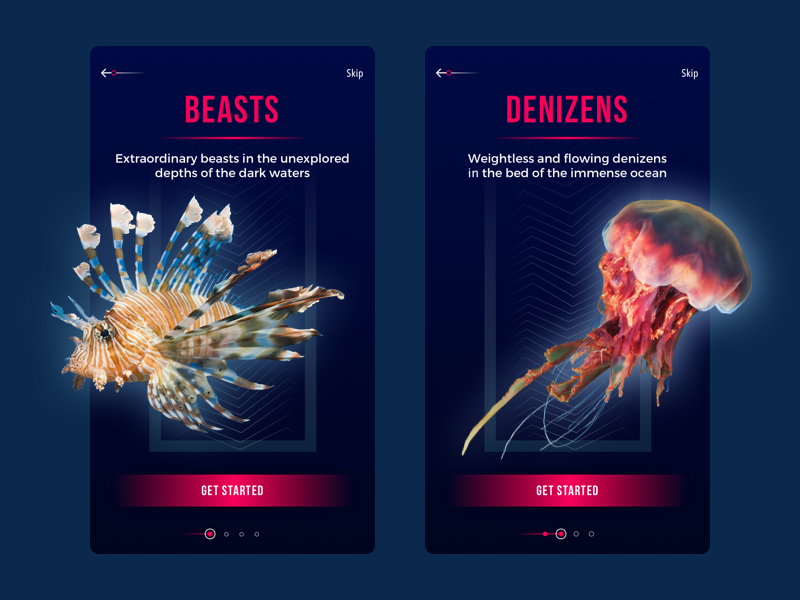
The well-known quote by Chinese philosopher Lao Tzu says: “A journey of a thousand miles begins with a single step”. When applied to numerous digital products, this simple yet powerful truth works the same way: the story of dealing with the app or a website starts from the first impression through the decision on trying to the actual interaction. All this process usually takes a little time but it’s often crucial to set the bonds between the user and the product. So, today let’s look a bit closer at the onboarding process, starting from the popular technique of introducing the app to the user – onboarding tutorial.

Social Network Tutorial
What is onboarding?
First of all, let’s look through the basic terminology. The concept of onboarding basically comes from the sphere of employment and HR: it is used to mark the number of steps and techniques aimed at helping newcomers to adapt to the new conditions and get comfortable to bring out good results. It’s not a secret that for many people trying something new is a sort of stress which demands some effort and consideration, so a little help could make the decision-making process easier and more harmonic. Special tactics enable to correct possible inconveniences and make people more confident at the new place, which means they become productive and socialized with their colleagues faster, bringing benefits to the company.
The advent of digital products as an integral part of everyday life absorbed this idea together with the term immediately. In this sphere, onboarding is the number of techniques and interactions whose objective is to comfort the user and give the first concise introduction of the product.
One of the important issues which should be made by a designer working on user onboarding is thinking over the clear priorities. Users have limited time which they are ready to devote to learning how the product works before starting actual interaction with it. Moreover, people have limited capacities of working memory, and setting the priorities, creators of the product decide which dose of information is needed for this or that stage instead of trying to give the big amount of data at once making the user confused or embarrassed. In one of the recent articles in Adobe Creative Cloud Blog, UX researcher and cognitive psychologist Rob Youmans, who is YouTube’s Head of UX Research Sciences, says “When it comes to design, the place that I see primacy and recency, in particular, is in terms of onboarding. When you start to learn about a new product there’s often a tutorial, wizard, instructions, or something else. It’s wise for designers to consider primacy and recency in this context because you’re going to want to put the most important information first or last if you’re hoping that someone is going to remember them later as they use your product or system.”
What is the onboarding tutorial?
Onboarding tutorial is the set of screens that are shown to the user in case of the first interaction with the product. In the vast majority of cases, designers apply 3-4 screens telling the initial information about the product to the new user. App tutorial is the sign of respect to the user: it gives a quick insight into what problems the app solves, how it can help the user, and what benefits it gives. Surely, it is a good technique of boosting usability from the first minutes of interaction if it’s informative and clear.
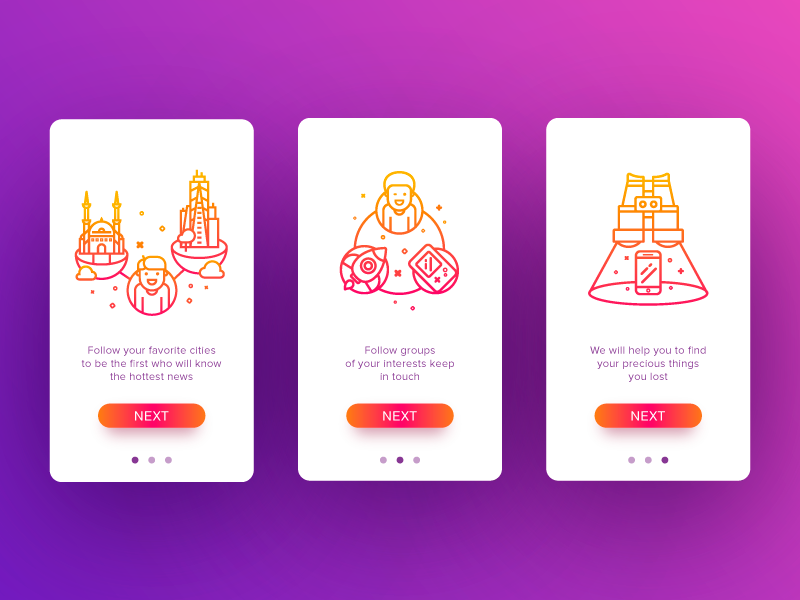
Shauts App Tutorial
Why do you need the tutorial for your app?
Three basic functions of an app tutorial for easy onboarding could be described as follows.
Greeting
App tutorials set the first contact between the user and the app. It is an act of introduction, in most cases imitating real communication starting with a greeting like “Hi!”. It is especially relevant when the app has a mascot or character that becomes a direct subject of communication with a user. Still, it’s important to be extremely careful and make the greeting as short and quick as possible not to distract users too much from the essential information.
Information
This is perhaps the most precious part of the tutorial mission for the user. First of all, the tutorial is a tactic of user onboarding, so it should inform users about the benefits they get from using this product or the basic operations they are going to do. User research and clearly set USP of the product will help the designer and copywriter to find ways of providing the vital points quickly to the users.
Engagement
Another benefit of the tutorial is making it a foundation laid for building solid desirability of the product. Tutorials can quickly show the user the most beneficial sides of the products engaging them to try and tolerate possibly hard first steps into the unknown. Moreover, designed nicely, the tutorial provides the first insight into the style and appearance of the product which is (should be) based on the target audience research and becomes another hook boosting interest to see more. In most cases, users are visually driven and even more – aesthetically driven creatures: we tend to get interested in what appeals to our ideas of beauty and harmony or sets particular emotions via visual performance. And tutorial becomes a favorable way to set this approach from the first seconds.
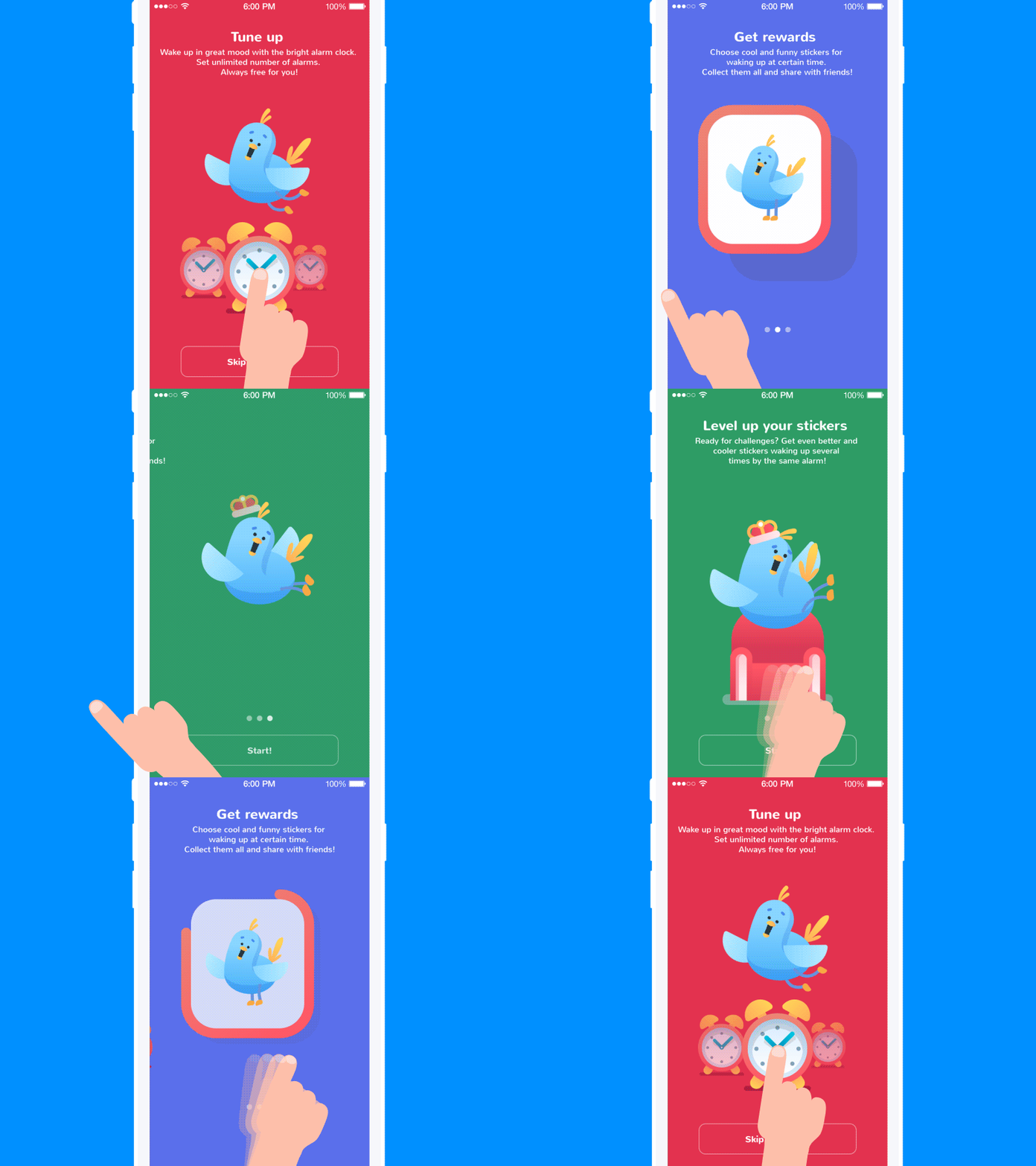
Toonie Alarm tutorial
What are the points to consider for tutorial design?
The structure and content of the app tutorial are highly project-specific. As we mentioned in the article on UX research and the creative stages of app design, numerous factors influence design solutions across three major perspectives: user needs, wants, and expectations; product characteristics; and business goals. As the product’s initial introduction to the user, the tutorial is also the point of analysis and the creative approach to presenting essential information in a dynamic, engaging, and attractive way for the target user.
Custom images or illustrations
Most people perceive and decode images faster than words. It makes the use of illustrations logical and rational in app tutorials, which must convey information quickly. In the article devoted to the benefits of illustrations in UI, we mentioned that in the case of tutorials, illustrations, be it photos or originally drawn images, fully reveal their potential in explanation and clarification. The options can be diverse from simple icon-like to artistic and sophisticated artworks. Illustrations of this kind are a good way to boost usability, reducing the need for copy on screens. They are particularly efficient in apps for kids and youngsters, as they usually feel this sort of explanation is more user-friendly.
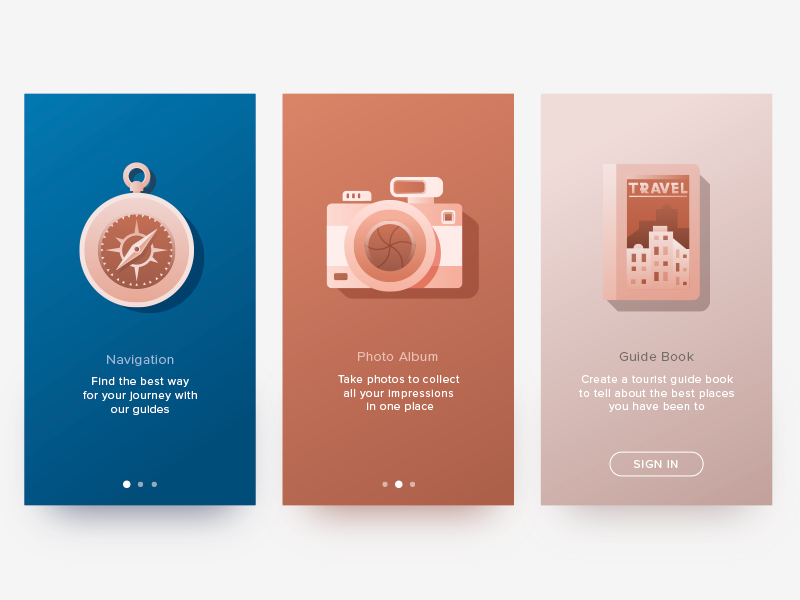
Travel App Tutorial
Design trends in recent years have demonstrated the growing popularity of custom illustrations designed for specific interfaces. App tutorials became a favorable ground featuring a variety of styles and approaches. In many cases, illustration becomes the center of the composition, and it aims to present a specific feature or benefit in an attractive and easily decodable way. Another popular approach is to apply a mascot, a character that imitates the flow of real communication with the user and helps establish emotional bonds.
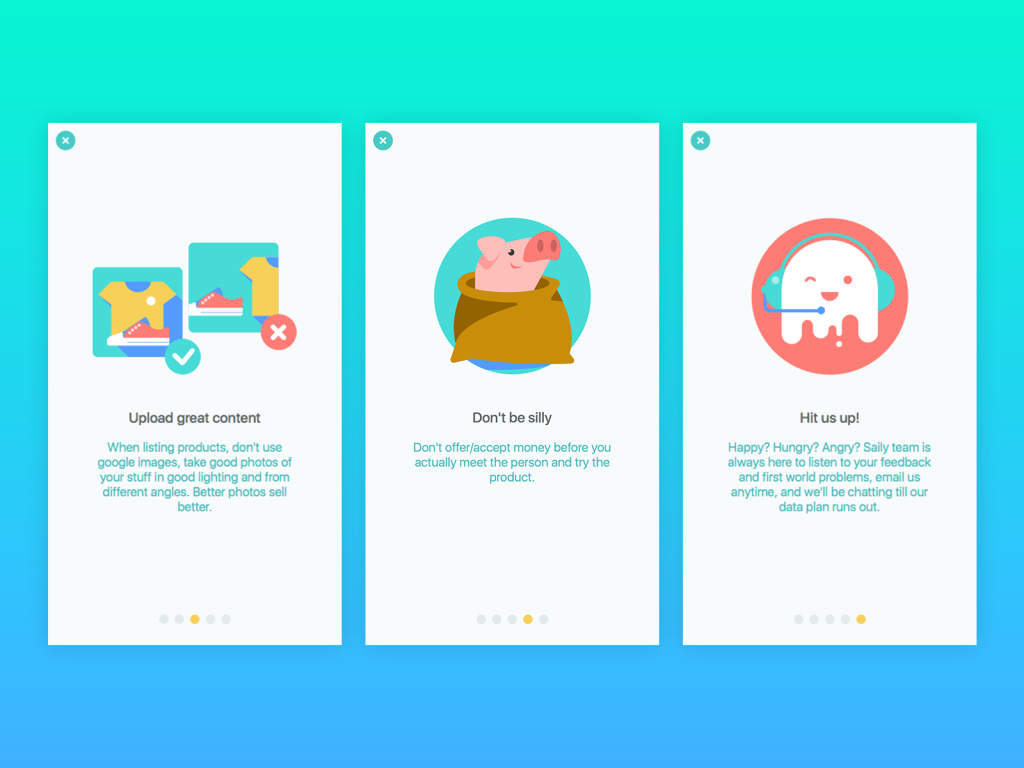
Saily App Tutorial
Copywriting and typography
In tutorials, words are powerful. However, there are two simple rules to support this power: keep it short and make it helpful. No secret that writing a short, informative sentence is much harder than writing a long one: you have to find an effective way to avoid wasting those precious seconds the user is ready to devote to reviewing tutorial screens. If it’s possible, involve the professional copywriter who will find a way to create copy for the interface that makes every single letter count. Make your homework, take the time and effort to create a concise, attractive, and clear copy that uses language appealing to the target audience and aligns with the objectives set for the product. In addition to designed solutions, the copy should be tested as much as possible to find the most effective ways of informing users.
One more aspect designers should bear in mind is that copy is another visual element of design. In addition to icons, fields, buttons, illustrations, toggles, and similar elements, it occupies a portion of the screen or web page like any other graphic component and influences the overall styling of the app or website. Furthermore, the success of the efficient copy directly depends on design solutions such as type and font selection, background, and copy placement. All the mentioned aspects significantly affect readability, so when they are used incorrectly, the copy loses the chance to realize its full potential, even if it is highly meaningful.
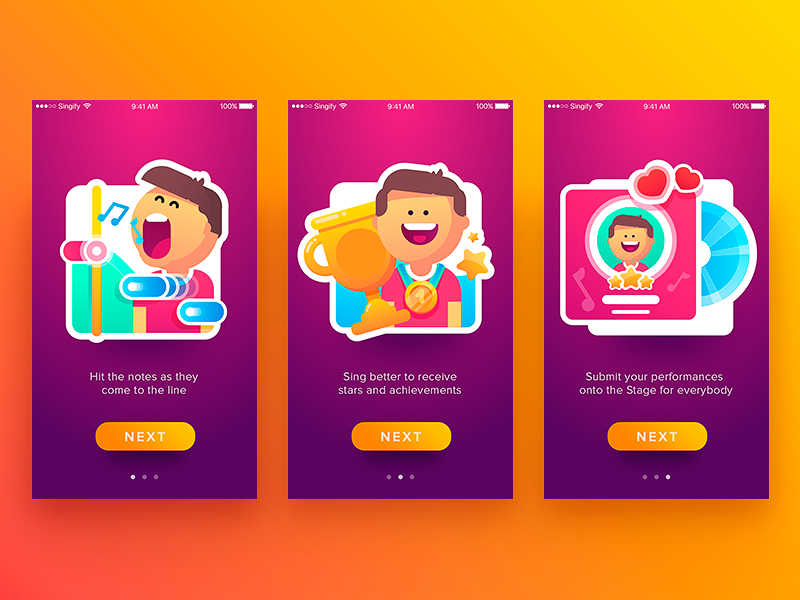
Singify App Tutorial
Animation
One more method to make tutorials not only informative but also attractive and engaging is to apply animation. Motion makes interaction more dynamic; it is able to breathe life into the interface, amaze, and catch the user’s attention. One more good point is that animation can make important details more noticeable. On the other hand, motion can increase the time and traffic needed to get it loaded, so it should be wisely applied and discussed with developers in terms of its technical realization.

WaykeApp Tutorial
Clear page/screen indicator
Usually, tutorials consist of several screens, each devoted to one point or benefit to present. It’s vital to remember that from this very start of interaction, users should know where they are and how long the path is. The page/screen indicator is a good and simple way to inform users about the flow of the process, and it shouldn’t be neglected.
Ability to skip
Another option is to skip the tutorial. Not all users need it; even when using the product for the first time, some may prefer to skip the tutorial. For some products, it may be reasonable to allow users to skip the tutorial. The decision on this function has to be made on the basis of testing and analysis of the target audience.
Underwater World Encyclopedia – section tutorial
In the end, it’s vital to remember: in the interface, every detail counts. A well-known proverb, checked by many generations, says: A good dress is a card of invitation, a good mind is a letter of recommendation. Surely, if the product is not useful to the user, no matter how good the tutorial is, it won’t help. However, if the product is user-friendly and problem-solving, the app tutorial provides another opportunity to make the introduction smoother and more pleasant. A good dress helps to impress – and a thought-out app tutorial can easily prove it.
Originally written for Tubik Blog
Useful Reading
How To Design User Onboarding: Tips and Practices
3C of Interface Design: Color, Contrast, Content
Basic Types of Buttons in User Interfaces
7 Tips to Improve Mobile Interactions
Tips for Effort-Saving User Interfaces
Visual Hierarchy: Effective UI Content Organization
Error Screens and Messages: UX Design Practices
 https://design4users.com/design-for-onboarding-mobile-app-tutorials/
2026-01-12
© by
Marina Yalanska
,
https://design4users.com/design-for-onboarding-mobile-app-tutorials/
2026-01-12
© by
Marina Yalanska
,
- English
- Ukrainian