
UX Design: Types of Interactive Content That Boosts Engagement
UX Design: Types of Interactive Content That Boosts Engagement Glance at the most popular types of interactive content in modern mobile and web interfaces and learn how they strengthen user engagement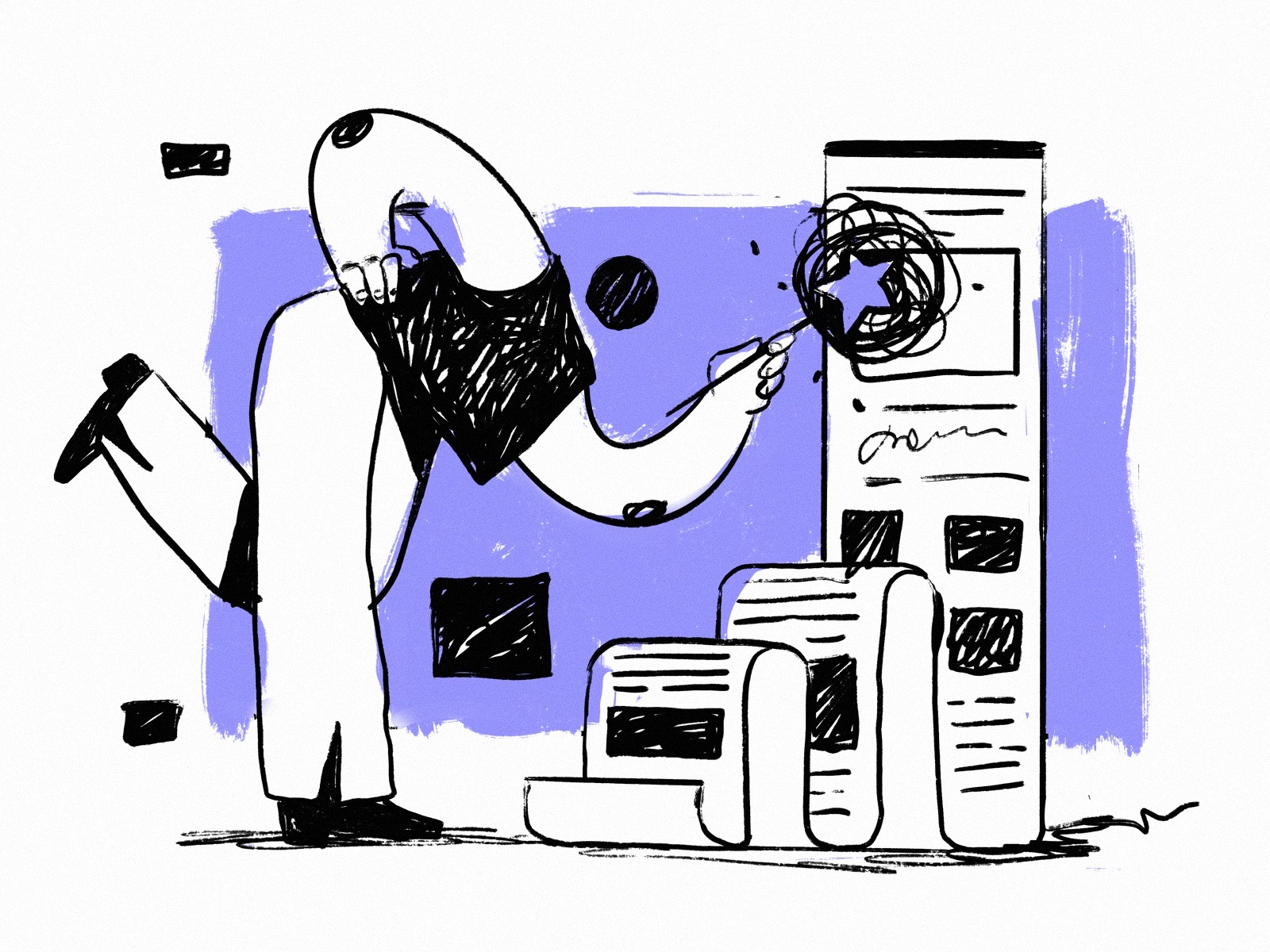
No secret, it’s not enough to catch users’ attention to your product, especially now with tons of competitors on the market. The strategic goal is to awe, engage, and motivate to use or buy again and again. One of the ways to do it is interactive content like videos, games, polls, surveys, quizzes, ebooks, and a wide variety of other stuff. In this article, we invite you to take a closer look at the most popular types of interactive content in modern mobile and web interfaces and how they strengthen user engagement.
What Is Interactive Content
Interactive content engages the users of the website or app to interact, making them active participants instead of passive viewers. So, the central concept behind any type of interactive content is participation, although its objectives can be totally different, from providing handy data to entertainment and adding wow effects as part of the user experience.
The positive effect of interactive content of different kinds has been well-determined by the influence of social networking, which gave a fundamental understanding of how highly people value the ability to respond, interact, and be actively involved in the digital experience instead of just being passive observers. So, from small niche websites and apps to big brands, e-commerce, and informative platforms, the creators of digital products strive to employ this power in their communication with customers and visitors to increase desirability and emotionality and make the experience as close and exciting as possible.
Interactive home page background on the furniture ecommerce website
Types of Interactive Content
Over the last decade, digital product producers have developed a broad range of interactive content types and continue to develop new ones. Let’s see what kinds are effectively used on modern websites and apps.
Videos
Video content simultaneously activates several channels of perception – audio, visual, and motion – and usually wraps that all in telling a story. Such a combination of factors often makes a video presentation strong, emotional, and memorable. A catchy video crafted with an understanding of the target audience is a tool attracting customers’ attention as well as a well-checked method of informing them quickly and brightly. In addition, a significant benefit is a strong connection to real-life experiences through different types of videos, which has the power to create associations and encourage viewers’ empathy.
As for the types of video content that can now be found on websites and applications, today, there’s quite a broad range of them:
- Welcome (introduction) video
- Promotional (commercial) video
- Showcase (showreel) video
- Video testimonial
- Product video
- Background video
- Hero section video
- Video guides and tutorials
- Explainer video
- Educational videos
- Entertaining videos
Learn more and check various examples in our article about video content integration in UX design.
Dances Classes platform uses atmospheric video content as a part of user experience consistently across both mobile and web performance.
Spa Space website integrates captivating video content into different web pages to set the theme and atmosphere.
Calculators
Interactive calculators are a great support tool, helping users of a website or app solve their problems quickly by performing the necessary calculations without leaving the website or app. Not only does it contribute to a positive user experience, allowing for fast and informative interactions, but it also greatly enhances the decision-making process, making the experience personalized and well-tuned. On e-commerce websites or applications, interactive calculators can significantly increase customer engagement and move them along the sales funnel.
Interactions for the Calorie Calculator application
Product Demonstrations
This type of interactive content is becoming increasingly popular, and content creators are working to improve existing product demo formats and develop new ones to impress customers. Today, they go much further than video presentations already well-familiar to users: you can also find interactive demos that offer 360-degree views of products or places, live streams that let them communicate directly and ask questions about the product, etc. As a result, these creative approaches help brands show and tell more about their offers and engage customers to learn more and try.
The interactive product page of the yacht-hiring website uses smooth 3D model animations, allowing visitors to view them from different angles.
The poster store app allows the buyer to try out virtually what the poster will look like in a particular interior.
The website for the prosthetics producer employs the original animated 3D model of a bionic arm to demonstrate the product.
Ebooks and Whitepapers
A white paper is a type of informational document issued by a company or organization to provide a deeper glance at some topic, research findings, cases, solutions, etc. With the rocketing progress of digital communication, whitepapers have also become a powerful tool for content marketing, inbound marketing, and lead generation through a valuable and engaging customer experience.
Ebooks, reports, guides, tips, trend reviews, and other kinds of whitepapers also present a popular type of interactive content, first of all, due to their informational nature and usefulness, as well as their ability to operate offline. They create an additional touchpoint, another communication channel for brands and products, and when well-crafted and supportive content is shared, it helps increase brand awareness and loyalty. What’s more, in addition to landing pages, whitepapers of all kinds can be finely tuned for specific segments of the target audience, making communication with them more concise, personalized, and efficient.
Games and Quizzes
Thinking that games are attractive only to kids is a big mistake, and many brands and digital products aren’t making it today. Adding a pinch of the game even to a serious product can give the users the moment of joy or happiness of victory that supports the desirability and emotionality of the user experience. In turn, quizzes can be not only entertaining but also informative: crafted thoughtfully, they tell the creative team behind the digital product more about the target audience and help tune the experience better.
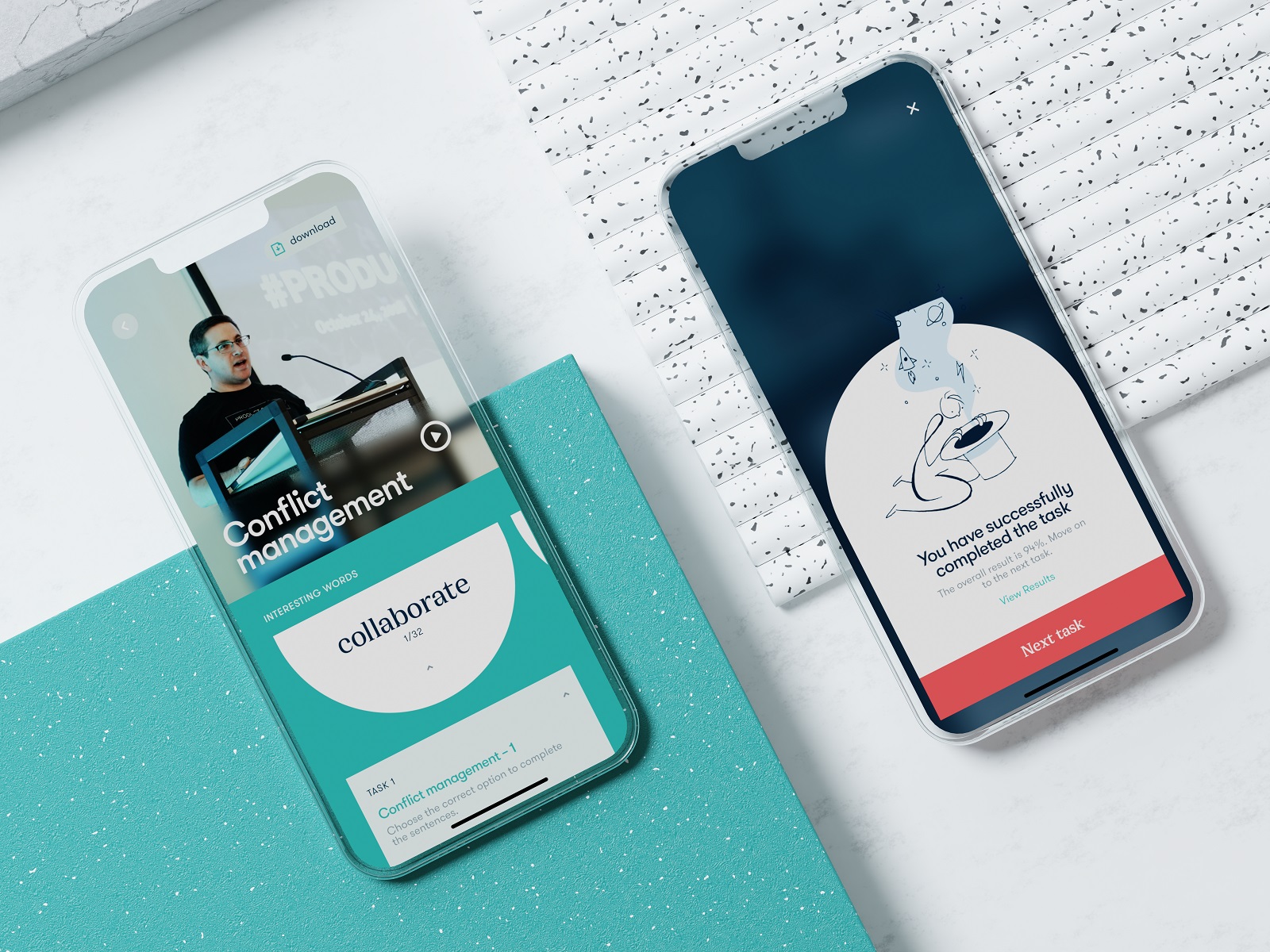
The Education App uses interactive tests as a part of the user experience as well as allows users to download the whitepapers on the current course.
Polls, Questionnaires, and Surveys
These points belong to the most classic ways of engagement and interactivity, rooted in the experience that had been well-known and quite common long before it became a part of the digital world. Polls and surveys present one of the most effective tools for UX personalization and setting the feeling of direct communication between the brand and its customers. The main challenge here is to keep the balance and not overcomplicate the experience to avoid getting users bored.
The Gin School website uses an interactive questionnaire to engage visitors and personalize the user experience.
Maps
In recent years, interactive maps have become popular not only as independent products but also as a valuable part of the user experience on different websites or applications. For example, they can be used to support a smooth, flawless user flow in shipping and delivery services or to help different businesses enable their customers to build routes and get to places quickly. Additionally, interactive maps can become an excellent tool for data visualization for different editorials, media, and other information-based resources.
The interactive map is an integral part of the user experience in the OtoZen app, helping support safe driving.
The shipping company’s website uses an interactive map to visualize destination countries in an engaging and informative way.
Timelines
A timeline is a graphic element that displays a chronological set of events. In user experience design for web and mobile, timelines have shown the growing diversity of creative approaches and are among the most impactful and effective types of data visualization, often supported by interactions such as zooming and animation.
The Magma Math website uses a timeline to demonstrate the product’s workflow.
Timeline used as a tool for effective information presentation on the museum website concept.
The Jazz Music Magazine website features an interactive timeline with videos that tell the story of a particular jazz artist.
Infographics
The term ‘infographics’ is used to describe different approaches to represent large amounts of information, data, or knowledge graphically in a way that makes it easier for readers and viewers to process, understand, and remember. To reach that goal, designers employ different tools and patterns that help speed up and enhance visual perception and activate the natural abilities of the human brain. Progressing to the digital world, infographics leaped into not only the diversification of graphics but also interactivity and motion, making them even more dynamic, impressive, and effective.
Interactive infographics integrated into the museum website concept.
Tags and Checklists
Tags and checklists are widely used to help users interact with the digital environment and tune the user experience making it more precise and corresponding to what people strive to get from this product. Being engaging and interactive, they pave shortcuts to the proper content arrangement and faster solutions. What’s more, they really help the teams behind a website or application to get a deeper and clearer understanding of what users want and how they tune the product according to their needs, so if ready to collect and analyze that data, the producers can improve the digital product on the basis of what real users’ actions and this way make the website or application more user-friendly.
The website of the party drink brand uses interactive tags allowing users to choose different characteristics, this way capturing attention and supporting fun as a part of the decision-making process.
Music Learning application uses interactive tags that allow users to personalize their interaction with the product.
The interactive home page of the educational web editorial Illuminating Radioactivity opens the field full of bright tags featuring popular characteristics of radioactivity and hiding the name of the project. Moving the mouse cursor, users remove the labels, as well as the website erases the common stereotypes about the theme of radioactivity.
Interactive Details
Realizing the benefits of interactivity and its contribution to positive user experience, for the last decade, designers and developers have not limited themselves to the well-established types of interactive content but have constantly experimented with new approaches and ideas. That results in new types of cool interactive details we can find on modern websites and apps, such as interactive menus, backgrounds, and mascots.
The Non-Conventional Show website features a lot of interactive details adding a pinch of fun and style to the interactions, for example, on this page you can see the interactive tabs of episodes, turning over on hover, and a cool animated subscription form.
The interactive menu applied to the food e-commerce website turns the image of the product packaging each time user hovers a particular category.
The home page of the e-commerce website selling toys uses hero animation to add fun and playfulness to the interactions.
Jazz Music Magazine website uses cool interactive hover animation, featuring the photo of the jazz artist when users hover the cursor on their name.
Benefits of Interactive Content
Briefly summing up the reasons why creators could consider the integration of different types of interactive content into their projects, we would mention the following potential benefits:
- deeper user engagement
- personalization
- emotionality
- enhanced data visualization
- a better understanding of users’ needs
- improved SEO
- wow-effects
Useful Articles
Here’s a bunch of articles to dive deeper into the theme of usability and user experience design.
Aesthetic Usability: How Beauty Improves User Experience
5 Basic Types of Images in Web Design
Contrast in User Interface Design
The Anatomy of a Web Page: Basic Elements
6 Elements of Efficient Company Website Design
5 Pillars of Efficient Landing Page Design
UX Practices on Product Page Design
Web Design: 18 Basic Types of Web Pages
Guide to 6 Effective Types of Web Animation
Negative Space in Design: Tips and Best Practices
Originally written for Tubik Blog
 https://design4users.com/ux-design-interactive-content-boosts-engagement/
2026-02-06
© by
Marina Yalanska
,
https://design4users.com/ux-design-interactive-content-boosts-engagement/
2026-02-06
© by
Marina Yalanska
,
- English
- Ukrainian